SAM 950 Berkeley Nucleonics Corporation 59 of 62
STEP BY STEP INSTRUCTION FOR COMMAND CENTER SW OPERATION
Step 1. Event log download from PDA to PC
1. Open ‘SAM III PeakID’ software.
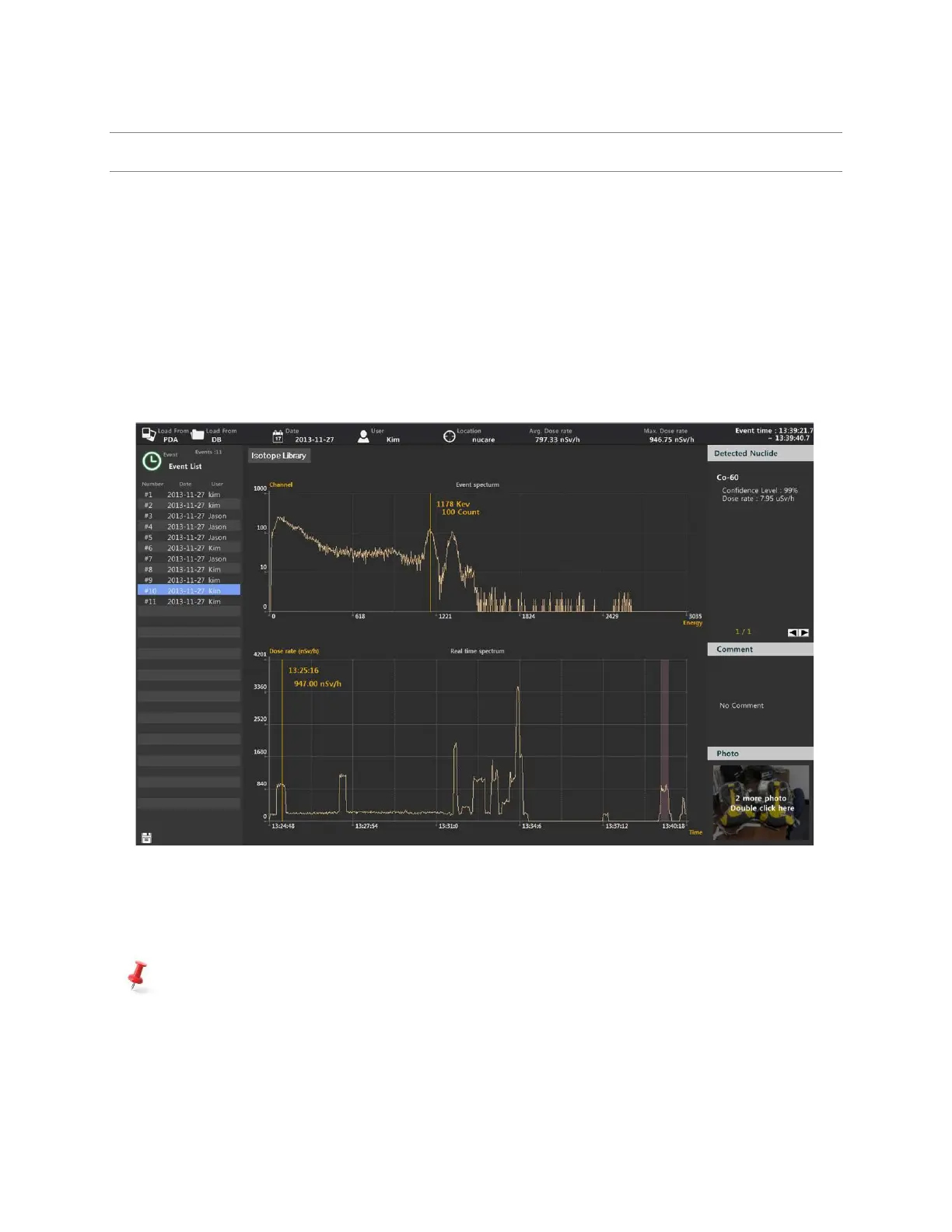
2. Click “Load from PDA”.
3. The event log now download and the event list is displayed on the “event list” window.
4. Select an event on the list. The spectrum is displayed on the “Event Spectrum” window.
5. Time and duration of the selected event are highlighted on the “Real time activity” window.
6. Nuclide identification information for the selected event is displayed in the “Detected Nuclide”
window.
Figure 6.7. Event log download from PDA to PC
The command center software automatically downloads the event log information to the event log
database and deletes the event log from the PDA.



 To Next Page