SAM 950 Berkeley Nucleonics Corporation 37 of 62
SPECTRUM MANIPULATION
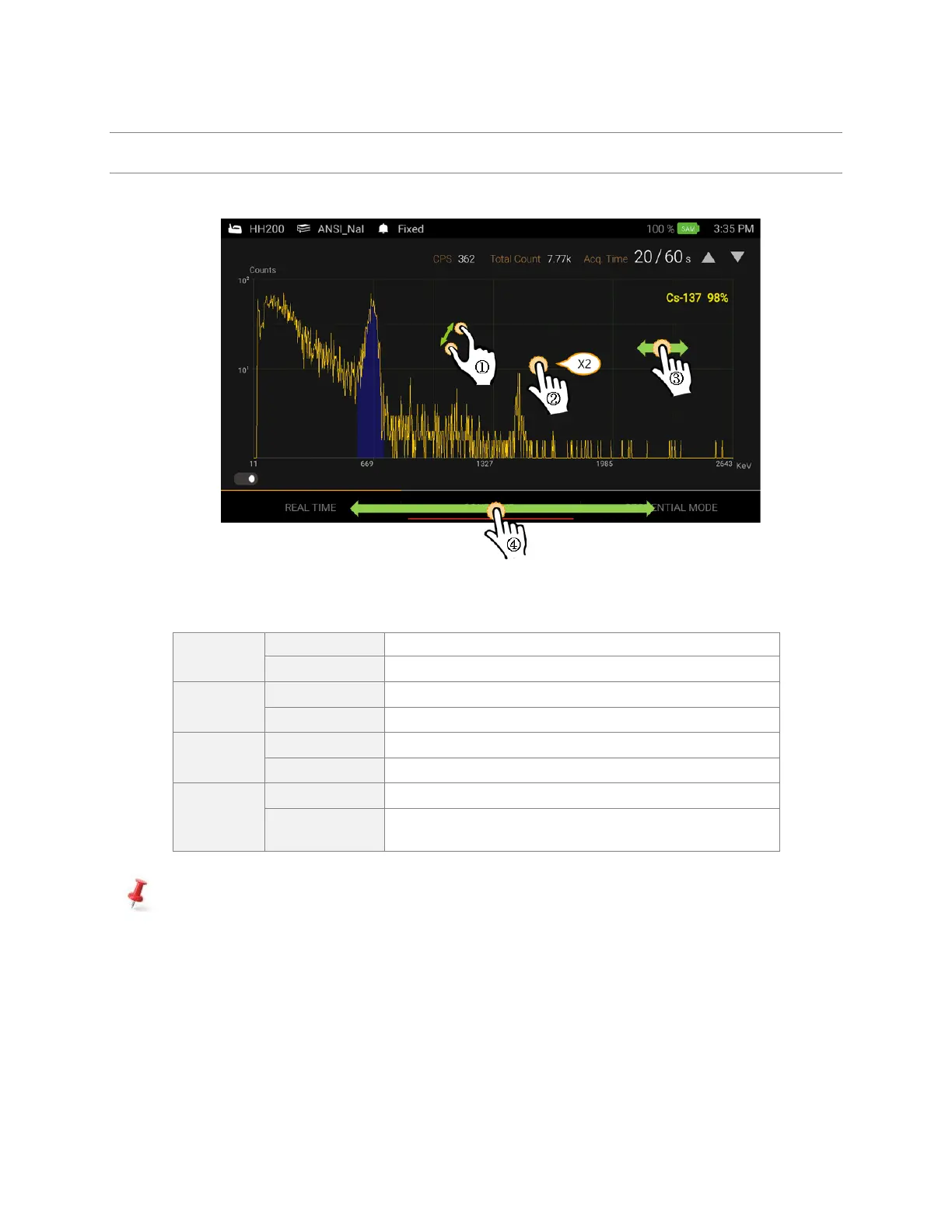
Spectrum view manipulation is achieved by touching the PDA display as shown in figure 4.25. below.
Figure 4.25. Spectrum manipulation examples
Touch with two fingers and expend or retract
Zoom in/out on a region of interest
Zoom back to the original spectrum scale
Spectrum moves along the x-axis (if display is zoomed in)
Touch/hold on x-axis and move left/right
Initiate a moveable swipe bar to display Real Time and
Sequential mede at the touched position
Y-axis maximum value is automatically adjusted based on the channel with the maximum counts.



 To Next Page