26 en | Operating principle
FPA-5000 | FPA-1200 | AVENAR panel 8000 |
AVENAR panel 2000 | AVENAR keypad 8000
2022-01 | 5.0 | F.01U.378.877
User Guide
Bosch Sicherheitssysteme GmbH
5.9.1 Scrolling through lists
On the display, only a limited number of list fields can be displayed.
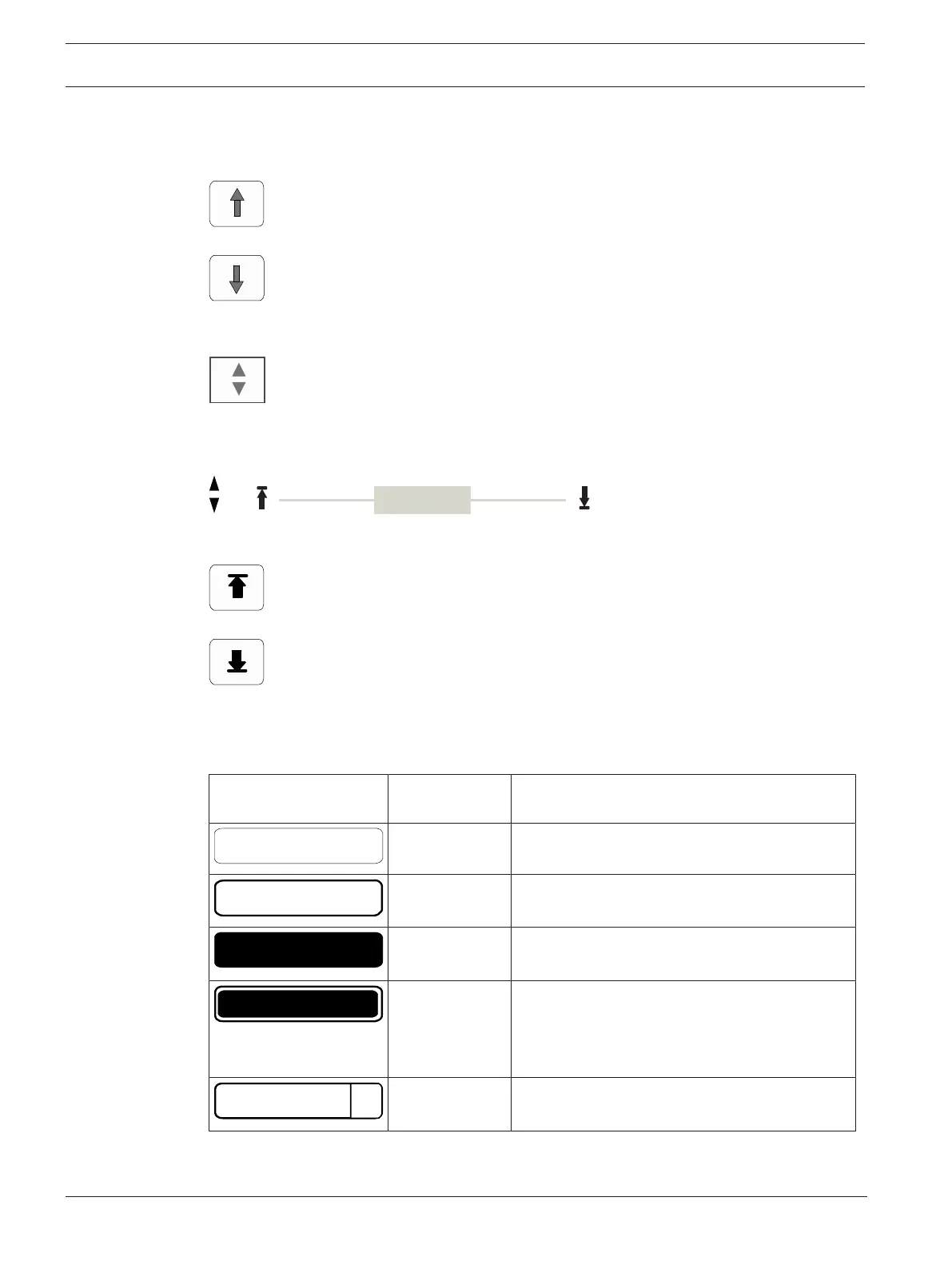
Select the "up arrow" key to scroll back through a long list:
Select the "down arrow" key to scroll forward through the list:
An arrow is only displayed if scrolling is possible.
Rapid scrolling:
To scroll quickly through a list, press the "double arrow" key on the keypad or on the status
bar of the display.
A scrollbar appears on the status bar:
Gently touch the horizontal line to jump to a particular place.
To jump to the beginning of a list, touch:
To jump to the end of a list, touch:
5.9.2 Various states of list fields
Various states can be assigned to an element or an element group, depicted by a list field. The
following table provides information about the possible states:
List field State of list
field
Meaning
normal Element in normal state
marked Selected element
Mode assigned The element was assigned the bypassed mode;
see
Assigning mode, page 27
.
Mode assigned
and marked
The selected element has already been assigned
a particular mode. It is selected in order to
reset it to the original mode; a bypassed
element is unbypassed, for example.
In reset mode The resetting of the element is not yet
complete.
"Bypass" menu
In the Bypass menu, list fields can display additional information; see the following table:









 To Next Page