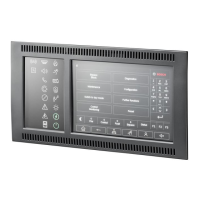
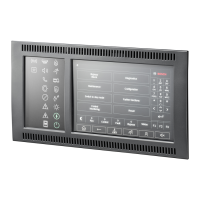
FPA-5000 | FPA-1200 | AVENAR panel 8000 |
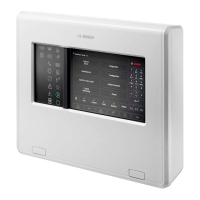
AVENAR panel 2000 | AVENAR keypad 8000
Diagnostics | en 61
Bosch Sicherheitssysteme GmbH
User Guide
2022-01 | 5.0 | F.01U.378.877
– #Tx Frames: Number of transferred data packages
– #Rx Frames: Number of received data packages
– Connected to: Indicates neighboring available node
13.7.4 Send ping command
To check the availability of other nodes in the network, a ping command can be sent to a
specific IP address:
1. In the start menu, select Diagnostics
2. Network services
3. Send ping command
4. Enter the IP address of the network node you wish to assess as regards availability and
select Send ping command.
To enter an IP address:
Touch the field containing the IP address. Use the arrow keys on the operating panel to
select the individual numbers and modify using the number keys on the alphanumeric
keypad.
Or:
Touch the Change field. Touch the field containing the number block to be changed. Use
the arrow keys on the operating panel to select the desired number and modify using the
number keys on the alphanumeric keypad.
If the addressed network node is accessible, a success message is displayed.
13.7.5 Remote Services
Remote Services offer a secure remote internet connection to AVENAR panel 8000/2000 for
system integrators. The following features are available:
– Remote Connect
– Remote Alert
– Remote Interact
– Remote Maintenance
For these services the secure network gateway for Remote Services is required. For detailed
instructions on setting up any of the Remote Services please refer to the Networking Guide.
Remote Connect
With Remote Connect all maintenance and service functions possible with the Remote
Programming Software FSP-5000-RPS can be done from remote (e. g. Remote Terminal,
configuration of the panel, trouble shooting).
Remote Alert
If you enable the Remote Alert service, an AVENAR panel 8000/2000 system pushes relevant
status information and events (e.g. alarms or fault messages) to the Bosch Remote Portal. In
case of an unexpected event, an alert can e.g. be delivered to a technician in form of SMS or
Email (if configured in the Remote Portal) so that relevant actions can be started at once.
Additionally to sending notifications, all events exported by the AVENAR panel 8000/2000
network are stored in the Bosch Remote Portal. This accumulated information can be
processed and analyzed to detect potential failures in the AVENAR panel 8000/2000 network
in advance.
Remote Interact
Remote Interact enables the use of the mobile application Remote Fire Safety for
smartphones. The user receives instant push notifications to smartphones in case of alarms or
systems warnings.









 To Next Page