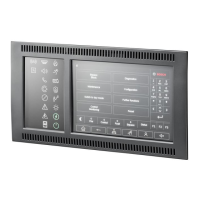
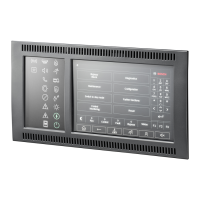
FPA-5000 | FPA-1200 | AVENAR panel 8000 |
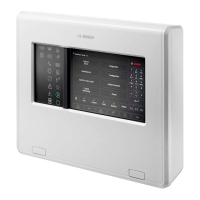
AVENAR panel 2000 | AVENAR keypad 8000
Table of contents | en 5
Bosch Sicherheitssysteme GmbH
User Guide
2022-01 | 5.0 | F.01U.378.877
11.4.2 Via the status bar 52
11.5 Bypassing/Un-bypassing buzzer 52
11.6 Bypassing/Un-bypassing the output to fault warning routing equipment 53
11.6.1 Bypassing the output to fault warning routing equipment 53
11.6.2 Un-bypassing the output to fault warning routing equipment 53
12
Block 55
12.1 Menu overview 55
12.2 Blocking and unblocking elements 55
12.3 Displaying list of all blocked elements 55
12.3.1 Using the menu 55
12.3.2 Via the status bar 56
13
Diagnostics 57
13.1 Menu overview 57
13.2 Element details 57
13.3 Modules 58
13.4 Hardware 58
13.4.1 LED test 58
13.4.2 Display test 58
13.4.3 CAN-Bus 59
13.5 Panel Passport 59
13.6 LED Test on modules 59
13.7 Network services 59
13.7.1 Routing table 59
13.7.2 Consistency check 60
13.7.3 Ethernet ports 60
13.7.4 Send ping command 61
13.7.5 Remote Services 61
13.8 Voice alarm systems (VAS) 62
13.8.1 Plena 63
13.8.2 PAVIRO / Praesideo 63
14
Maintenance 65
14.1 Menu overview 65
14.2 Change language 65
14.3 Activate Outputs 65
14.4 Activate Transmission Device 66
14.5 Bypassing/Un-bypassing buzzer 66
15
Maintenance – walktest 67
15.1 Walktest groups 67
15.1.1 Adding or deleting elements 67
15.2 Starting and ending walktest 69
15.2.1 Starting the walktest 69
15.2.2 Ending the walktest 70
15.3 Ending walktest for all elements 70
15.4 Displaying tested or untested elements 70
15.5 Assigning tested elements to a walktest group 70
16
Maintenance – history log 71
16.1 Selecting filters 71
16.2 Setting filters 71
16.3 Change Filter 72









 To Next Page