FPA-5000 | FPA-1200 | AVENAR panel 8000 |
AVENAR panel 2000 | AVENAR keypad 8000
Remote keypad | en 33
Bosch Sicherheitssysteme GmbH
User Guide
2022-01 | 5.0 | F.01U.378.877
7 Remote keypad
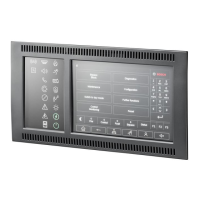
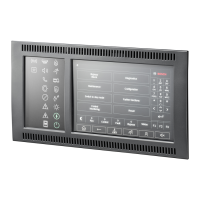
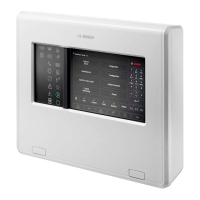
The remote keypad allows decentralized operation of a fire safety system. The design of the
graphical user interface is identical to the fire panels. A color display shows all messages. The
touch screen is for operation of a specific panel or the entire system. The user-friendly
interface adapts to various situations. This causes correct operation that is simple and clear as
well as targeted and intuitive.
Panels and keypads of the AVENAR series and the FPA-5000 series(MPC-xxxx-B and MPC-xxxx-
C) can be combined in one panel network using the Ethernet and the CAN bus interfaces.
In combination with an AVENAR panel 8000, the keypad can be used as a redundant panel
controller. In this case, it cannot be used as a remote keypad.
Power can be supplied by the panel and/or an external power supply unit.
In the FSP-5000-RPS programming software, the address of a panel to which a connection is
automatically made from the remote keypad can be entered in the dialog regarding the node
of the remote keypad. In addition, further panels with which a connection can be made can
also be assigned.
It is not possible to log out of the automatically assigned connection. A connection can be
established with other panels without any further queries.
7.1 Operation and display
A remote keypad is by default programmed that messages are displayed, even if no operator is
logged in. In this case the operation of all functions with permission level =1 are possible.
Notice!
It is possible to specify in the FSP-5000-RPS programming software that if no operator is
logged in, only the standby screen is displayed. In this case, no LEDs are activated and no
messages are displayed. In order to activate the LEDs and display messages, an operator with
an access authorization >1 has to login.
If the remote keypad is not connected to a panel, the following symbol is displayed on the
standby display and in the status bar:
Notice!
In the FSP-5000-RPS programming software, a time span can be specified after which an
operator who is logged in to the panel controller is logged out.
7.2 Connecting to remote panel
Through the remote keypad, it is possible to establish a connection to a remote panel.
1. Press .
The display shows a list of available network nodes.
2. Select a node and press OK .
3. Press again OK.
P The connection to the remote panel is established.
Depending on the type of connection, a symbol is displayed on the standby display and in the
status bar:
– : The operator is in full control of the remote panel









 To Next Page