32 en | Installation material and tools DICENTIS
2021.01 | V2.2 |
Hardware Installation Manual
Bosch Security Systems B.V.
5 Installation material and tools
This section describes installation material such as cables, connectors and tools.
Recommedations
– Always use manufacturer specified installation products, materials and tools.
– In general, use different cable ducts for the system network cables, audio cables and
mains supply cables.
– In public areas where people can touch or move above the connectors and cables, use
metal protection covers.
Warning!
Do not exceed the bend limitations of system network cables (DCNM‑CBxxx):
The minimum bend radius of the system network cable is a 35mm radius.
5.1 DCNM-CBCPLR Cable couplers
Cable couplers can be used:
– to extend cables,
– in a floor pod as break-out box,
– as an interface between DICENTIS cable and “standard” CAT-5E cable combined with a
separate power cable,
– to insert power locally to the participant devices,
– to switch the system on by using two cable couplers and a switch.
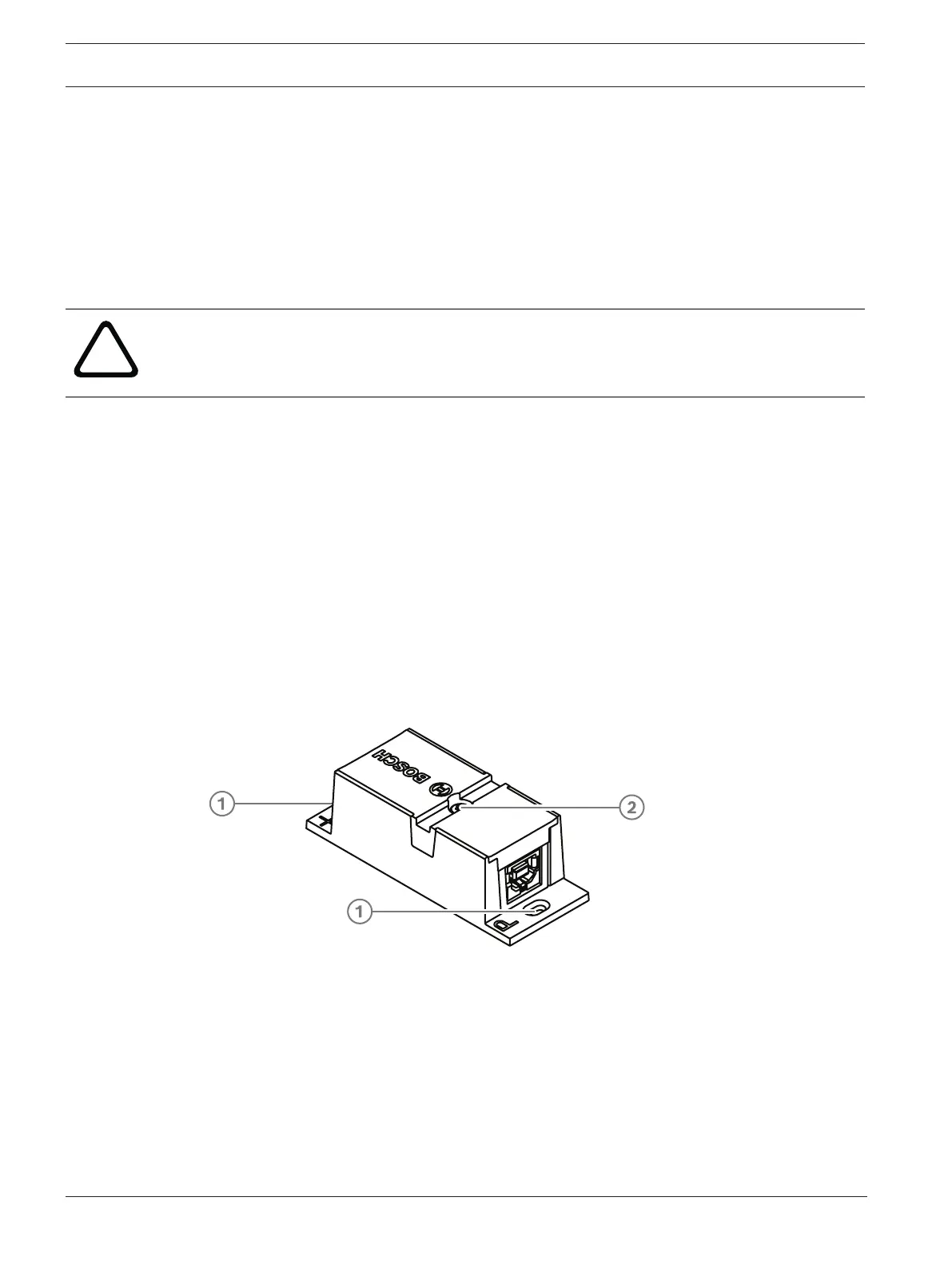
Cable couplers are delivered in a box that contains 6 cable couplers. They can be used for all
types of DICENTIS cables.
Mounting
To secure the DCNM-CBCPLR to a flat surface, insert two 2.5 mm screws in the existing holes
on the flaps (1). You can also fix the DCNM-CBCPLR by wrapping a cable tie around the device
using the existing recess (2) to prevent side movement.













 To Next Page