34 en | Installation material and tools DICENTIS
2021.01 | V2.2 |
Hardware Installation Manual
Bosch Security Systems B.V.
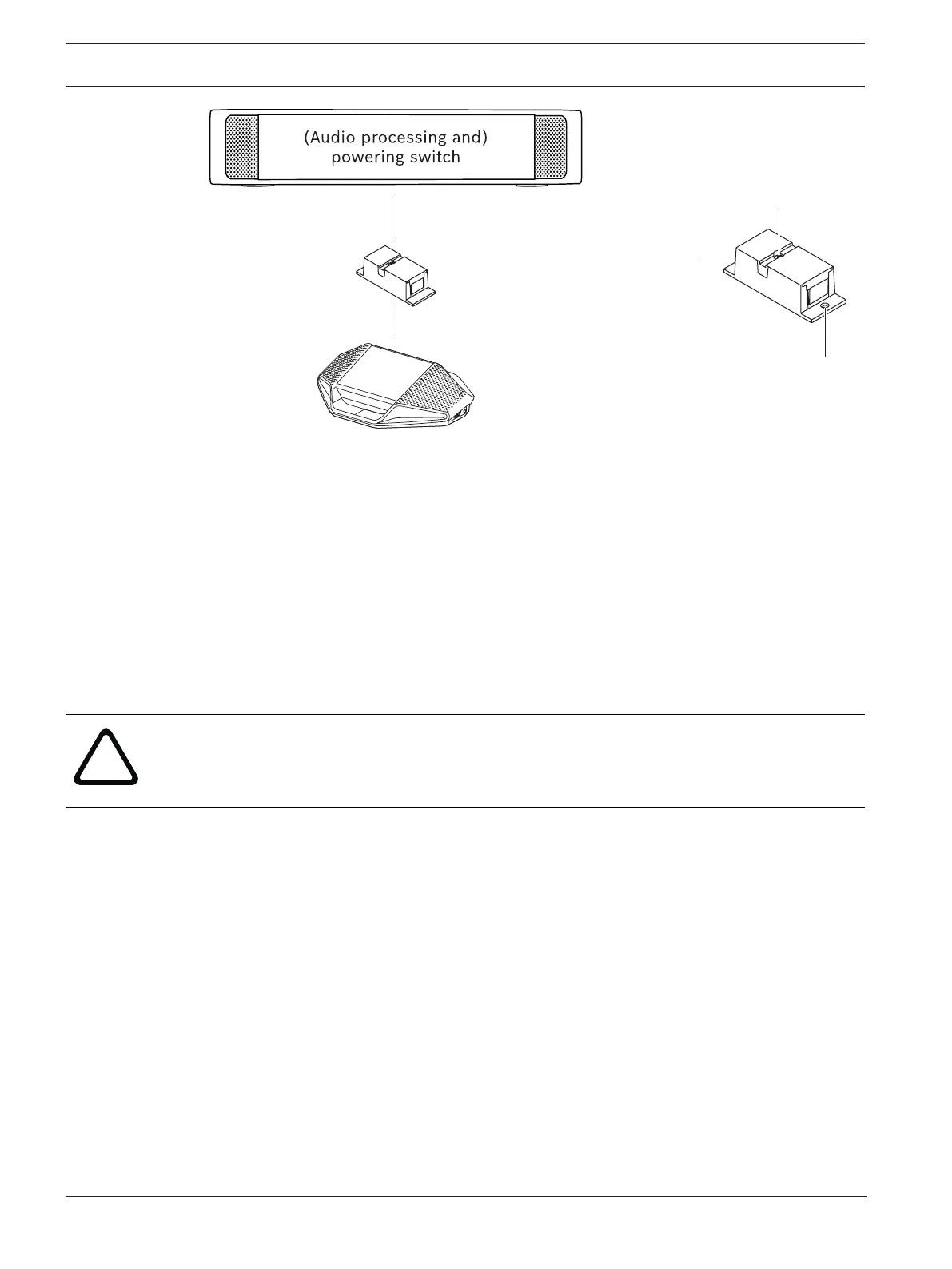
Recessed area
for tie wrap
Screw hole
Screw hole
Figure5.2: Installation in a floor pod as break-out box
5.1.3 Using a cable coupler as an interface between different types of cable
The cable coupler can be used as an interface between DICENTIS cable and “standard”
CAT-5E cable, optionally combined with a separate power cable. This can be used, for
example, when standard CAT-5E cabling coming from the technical room has to be connected
with DICENTIS cable in the conference room.
To set this up:
1. Open the housing of the cable coupler.
2. Connect the power cables to the screw terminals + and -.
3. Remove the break-out of the housing to guide the power cables through.
4. Create a tension release.
Warning!
Risk of electric shock. Exposed power cables are a potential hazard. Make sure all power
cables are securely fastened by fixing them with a tie wrap on the inside of the box (see
drawing ‘Creating a tension relief’).
5. Close the housing and fix the screw with torque 0.4Nm.
Note:
– The cable length is not allowed to exceed 100 m.
– No more than 2 cable couplers can be used in one trunk.













 To Next Page