66 en | Mechanical installation of Contribution Devices DICENTIS
2021.01 | V2.2 |
Hardware Installation Manual
Bosch Security Systems B.V.
Removing a flush-mounted device
7.2.1 DCNM-FSL Flush language selector
Connect the language selector to a PoE switch in the DICENTIS network with a CAT-5e cable.
External headphones socket
You can connect an external headphones socket to the language selector (e.g. a 3.5 mm
headphones socket). The external headphones socket must be connected to a plug or to
solder pads.
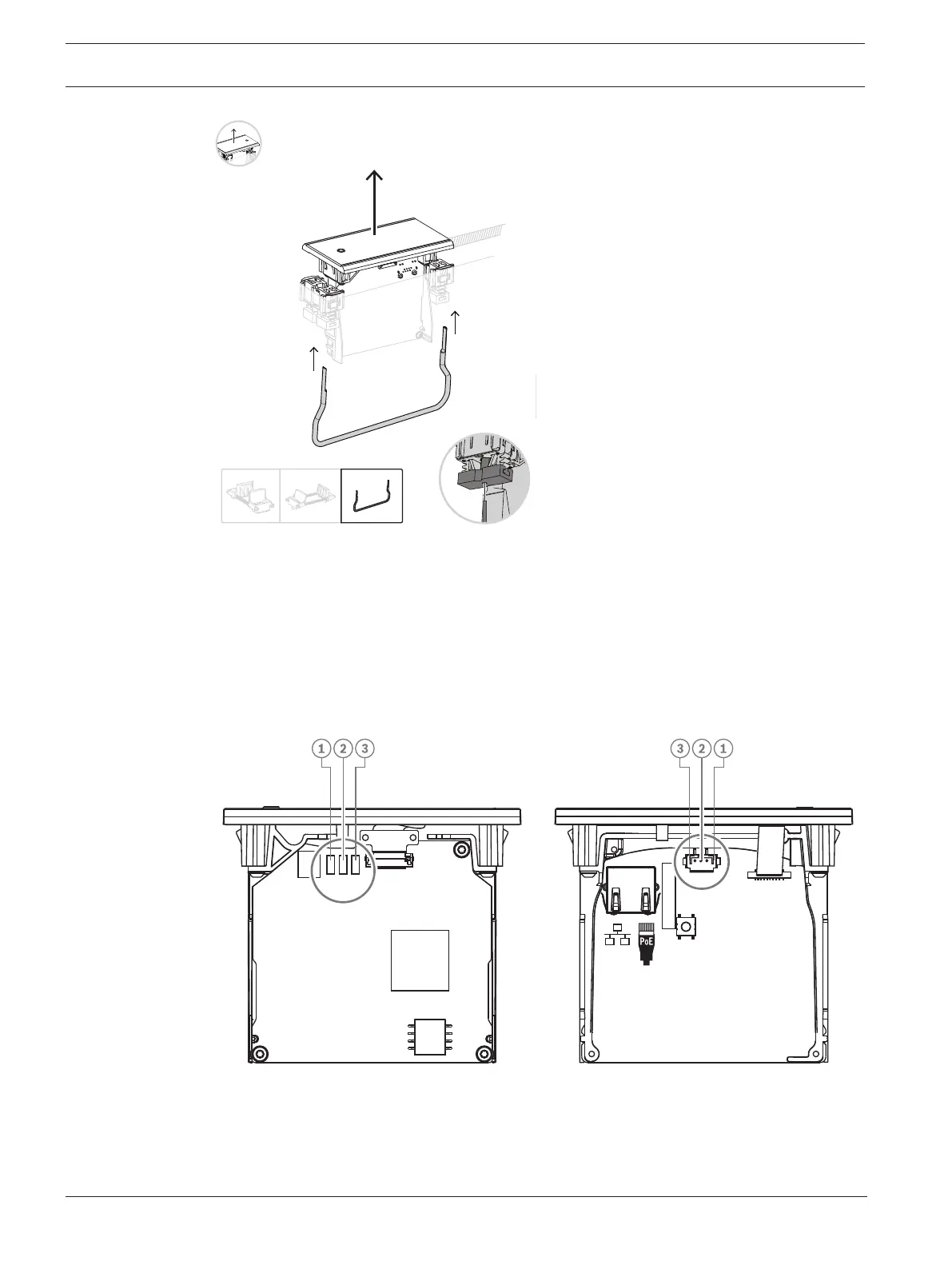
Figure7.5: External headphones connection
The solder pads , external headphone connector, and built-in 3.5mm socket are internally
connected.













 To Next Page