DICENTIS Mechanical installation of Contribution Devices | en 61
Bosch Security Systems B.V.
Hardware Installation Manual
2021.01 | V2.2 |
7.2 DICENTIS flush-mounted devices
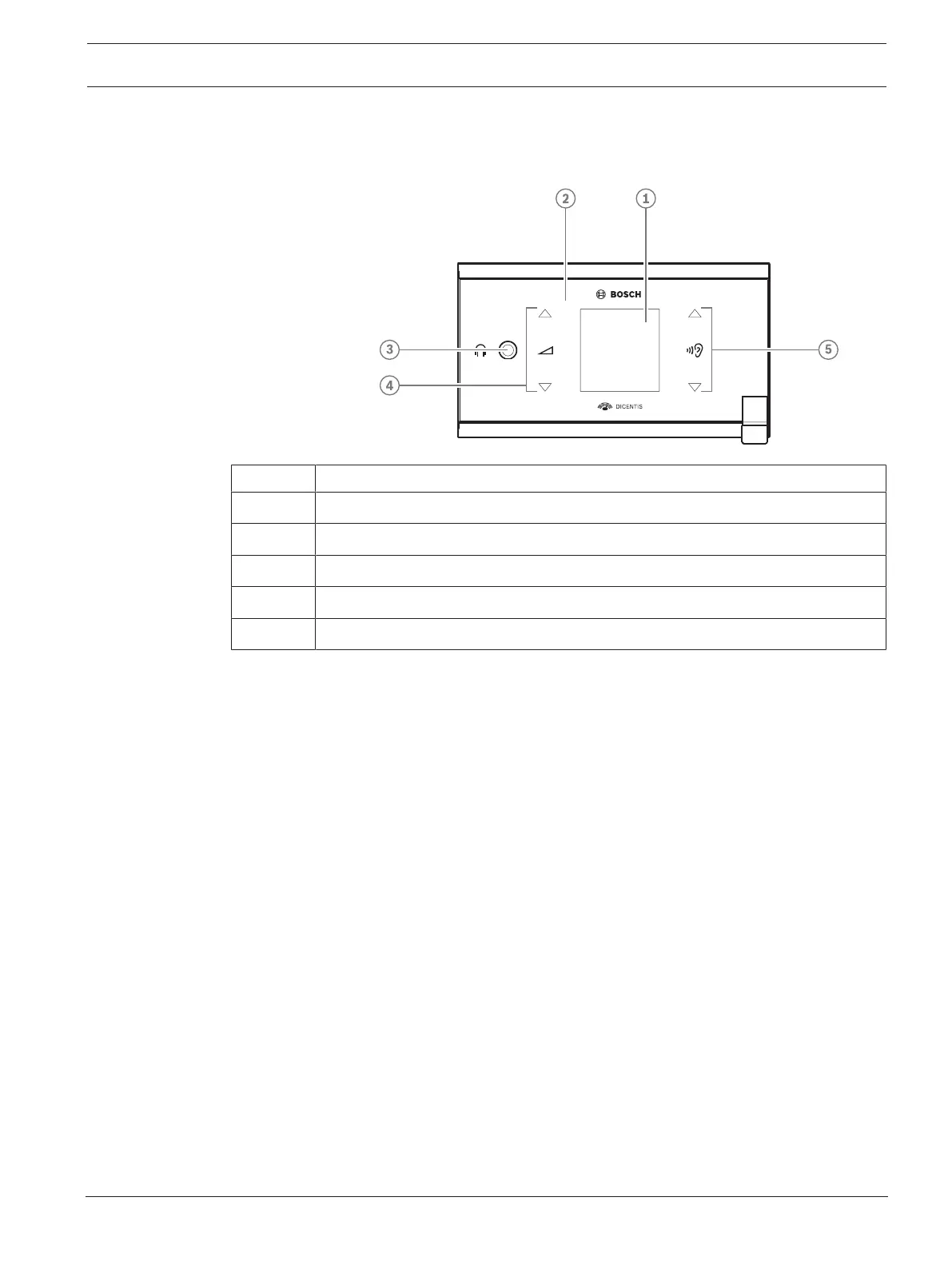
DCNM-FSL
Item Description
1 LCD screen
2 Capacitive touch screen
3 3.5mm stereo jack for headphone
4 Headphone volume control
5 Language selection buttons
– The DCNM-FSL display turns on when a headphone is connected.
– The DCNM-FSL display automatically turns off when it is not used for 10 seconds. It will
turn on again once you touch the volume control or language selection buttons.
Snap mounting
Use the snap-mounting method to install flush-mounted devices in panels with a thickness of
up to 2mm. The snap-mounting method uses the click-to-fit mechanism of the flush-mounted
devices. Simply ‘click’ the flush-mounted devices in the recess.













 To Next Page