50 en | Mechanical installation of Central Equipment DICENTIS
2021.01 | V2.2 |
Hardware Installation Manual
Bosch Security Systems B.V.
How to install
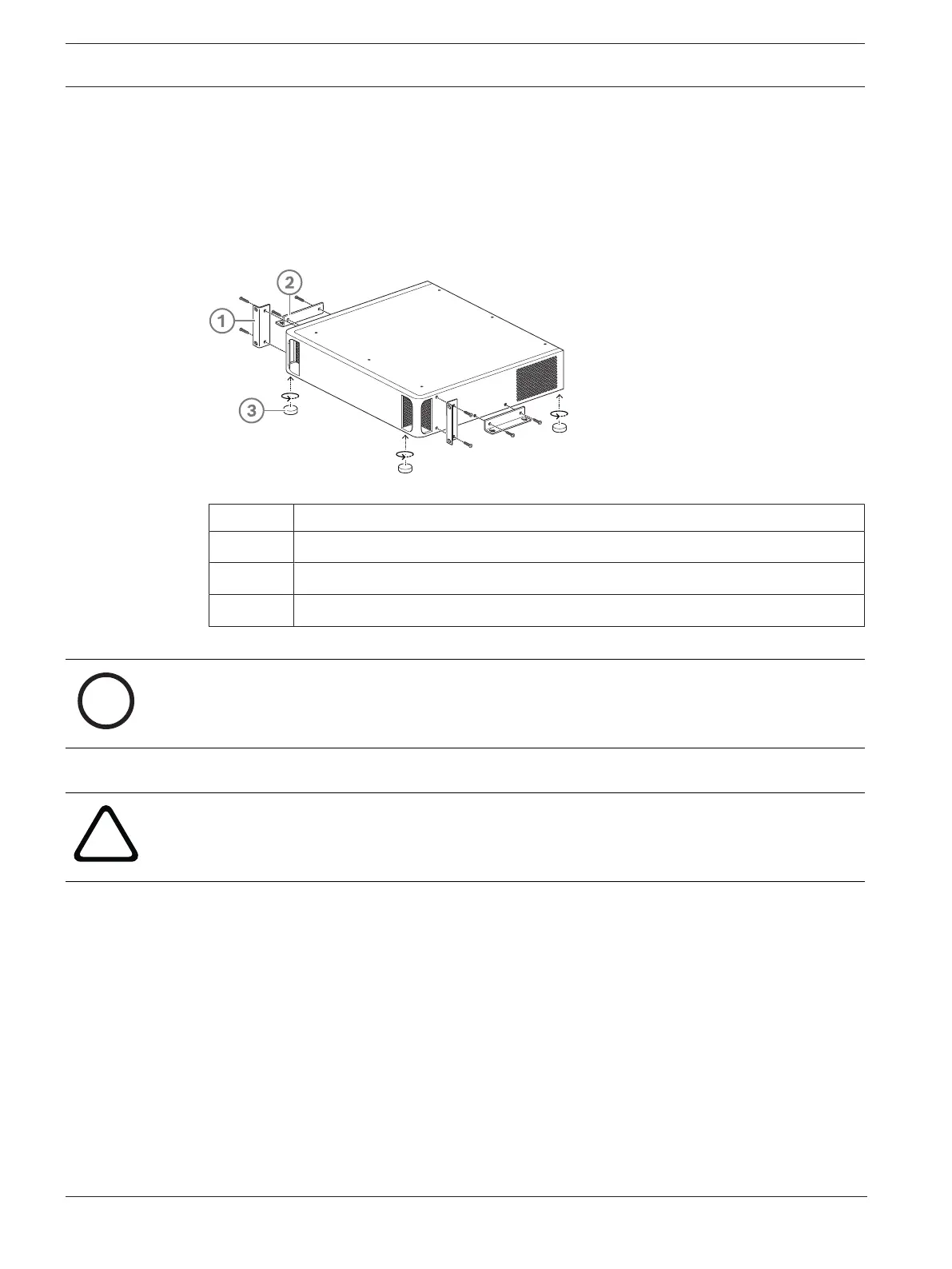
4 Install the Audio processor and powering switch or Powering switch in a 19 inch device
rack system or on a flat surface. Two 19 inch mounting brackets and four bottom feet are
supplied with the Audio processor and powering switch and Powering switch. Refer to
the following illustration.
4 Connect all required cabling.
4 Connect the mains supply.
Figure6.4: 19 inch rack, flat surface and feet mounting
Item Description
1 19 inch rack mounting (bracket)
2 Flat surface mounting (bracket)
3 Feet mounting
Notice!
The unit extends 30mm in front of the 19” mounting brackets when installed in a 19” rack
system.
Caution!
Do not obstruct the airflow vents on the front side and rear left and right sides.













 To Next Page