32 en | Programming NurseCall Main Unit
F.01U.252.699 | V1.1 | 2012.01 User Manual Bosch Security Systems
4.3.8 Accompany mode
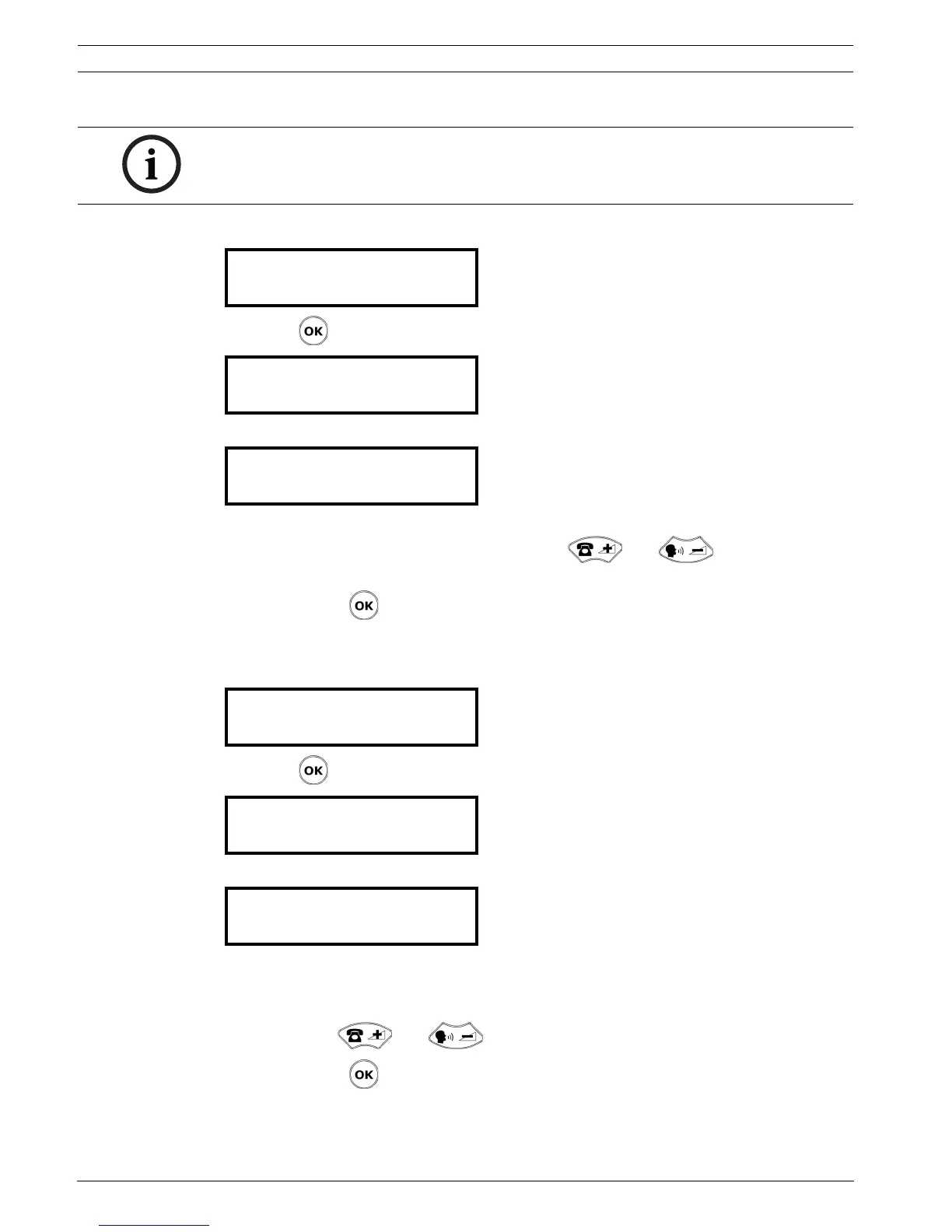
1. Select the parameter Nr. 05.
2. Press .
3. Activate (YES) or deactivate (NO) the accompany mode. The default parameter is NO.
4. If you select YES, define the range of the doors that will be activated in the accompany
mode. The first number is the lower limit, use and to choose from 231
to 250. The second number (254) is the upper limit and cannot be changed.
5. Confirm with .
4.3.9 Radio noise check
1. Select the parameter Nr. 06.
2. Press .
3. Select YES or NO. The default parameter is YES.
4. If you select YES, you must choose to activate (ON) or deactivate (OFF) the relay output.
If you choose ON, the contact closes in the case of a radio noise event. If you choose
OFF, the contact stays open. The default parameter is OFF.
Select with and .
5. Confirm with .
NOTICE!
The accompany mode is not available if the locating mode is set to OFF.
See Section 4.2.3 Locating mode, page 24.
¬ Parameter Nr. 05
Function ACCOMPANY ¡
¬ ACCOMPANY ?
-> YES ¡
¬ Function ACCOMPANY
RANGE: 231 - 254 ¡
¬ Parameter Nr. 06
Radio Noise Check? ¡
¬ Radio Noise Check?
-> YES ¡
¬ Radio Noise Check?
Relay Output OFF ¡



 To Next Page