MY22Z0a - 12_1.0_25.07.2022
168
About these operating instructions
1 Press Push assist button for longer than
1 seconds. Hold down the button.
The battery level indicator goes out and a white
running light in the direction of travel indicates
push assist is ready.
2 One of the following actions must be taken
within the next 10 seconds:
Push pedelec forwards.
Push pedelec backwards.
Make a weaving movement with the pedelec.
The push assist is activated. The continuous
white bars change colour to ice blue.
The motor starts to push.
3 Release push assist button on the control
panel to switch off push assist.
4 Push the push assist button within 10 seconds
to reactivate motor assistance.
5 If motor assistance deactivates within
10 seconds, the push assist function switches
off automatically.
Push assist will also switch off automatically if
• the rear wheel blocks
• speed bumps cannot be ridden over
• a part of the body is blocking the bicycle crank
• an obstacle turns the crank further
• the rider pedals
• the plus button or On-Off button is pressed.
The push assist mode of operation is subject to
country-specific regulations and may therefore
differ from the above description or may be
deactivated.
6.18.6 Selecting the level of assistance
The control panel is used to set how much the
electric drive should assist the rider when
pedalling. You can change the level of assistance
at any time while you are cycling.
.
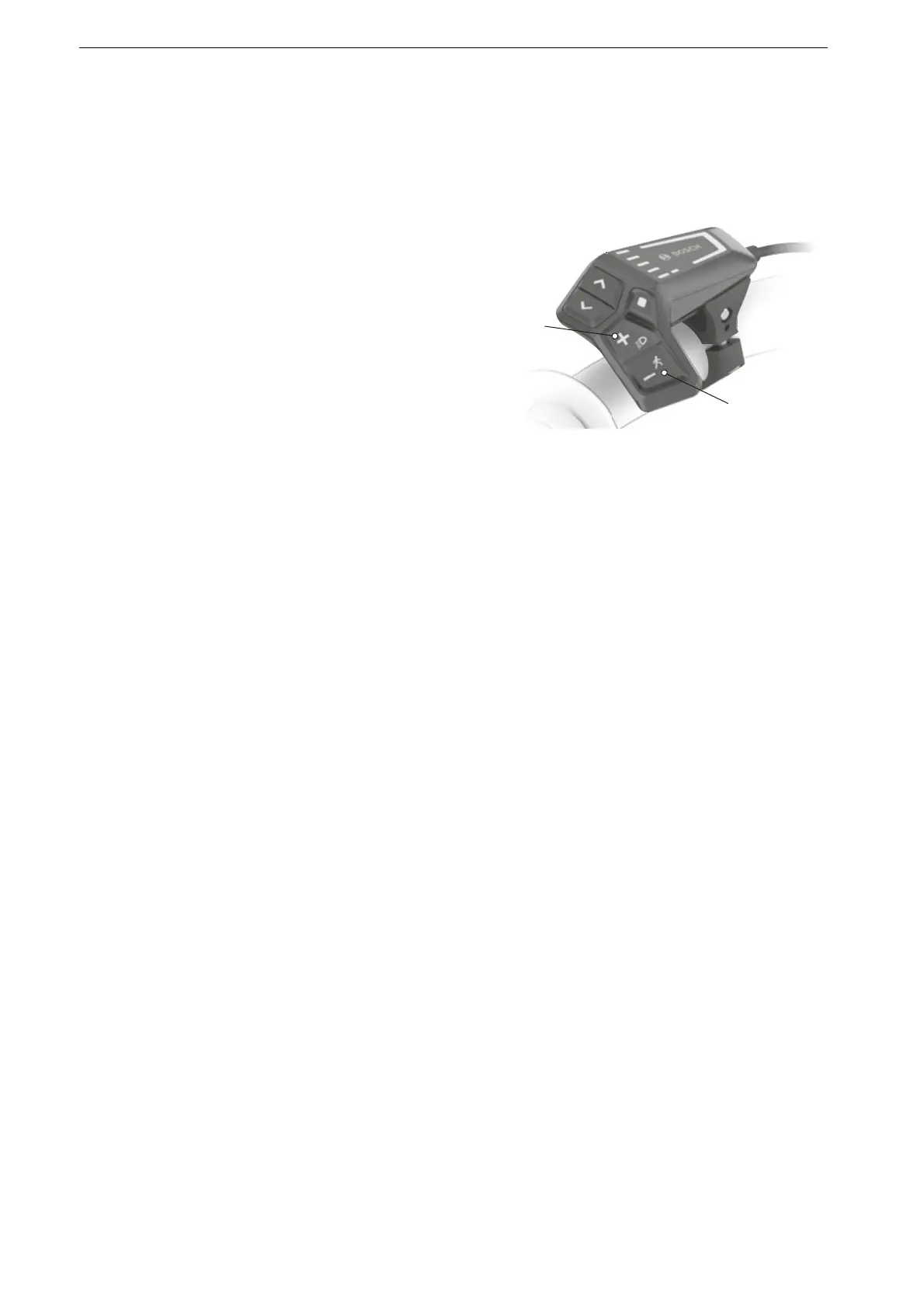
Figure 188: Position of plus and minus buttons
Press the plus button (2) on the control panel
to increase the level of assistance.
Press the minus button (1) on the control
panel to reduce the level of assistance.
The motor power used is displayed in colour in
the level of assistance indicator.
If the system is switched off, the level of
assistance last displayed is saved.




 To Next Page