3. Getting started
3.1 Charging
Your device is only partially charged when first unpacked. Charge the battery before using the
device.
Nota: For the first time use, charge the device for 8 hours for its optimal performance.
You can charge the device by connecting it to a computer. After the battery is fully charged
(around 4 hours), the battery full icon appears on the screen. Remove the power adapter
and the cable from both the power outlet and the device.
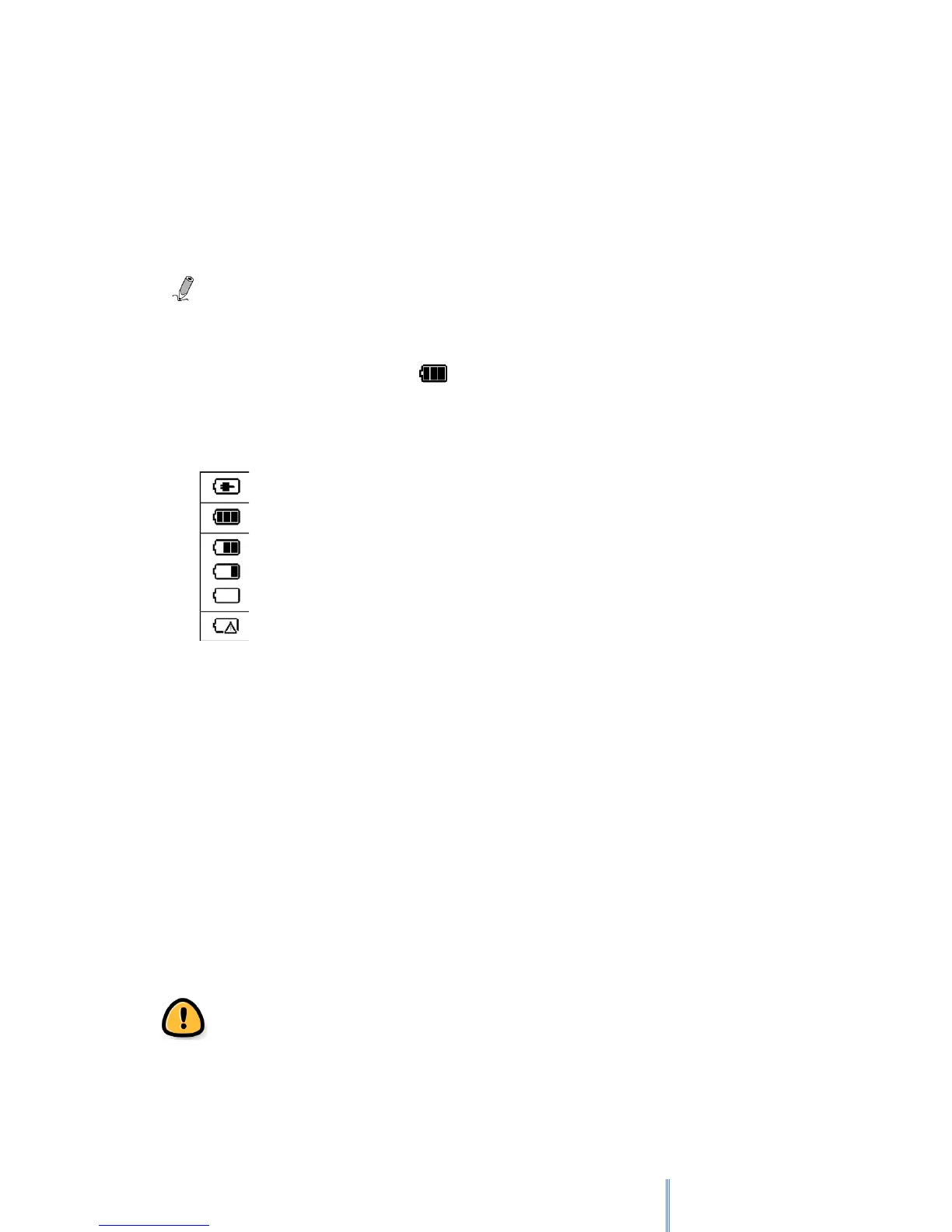
The status of the battery power is displayed on the top right corner of the screen.
3.2 Battery Maintenance
This device contains a built-in Li-Polymer rechargeable battery. The capacity of the battery will
reduce each time it is charged/depleted. However, you can still try to prolong the battery’s
lifetime by following the suggestions below:
• Use the device at least once a week.
• Charge the battery regularly and fully. Never leave the battery fully discharged for a
long time.
• Always keep the device and the battery away from heat.
If the device will only work when the power adapter is connected, contact your local dealer to
replace the battery.
Do not try to replace the battery by yourself. Any attempt to disassemble the device
may cause damages to the device or result in personal injuries.
Battery is charging
Battery full
Battery Status (the few bar son the battery icon, the lower the battery power remains)
Battery is depleted. Charge the battery inmediately



 To Next Page