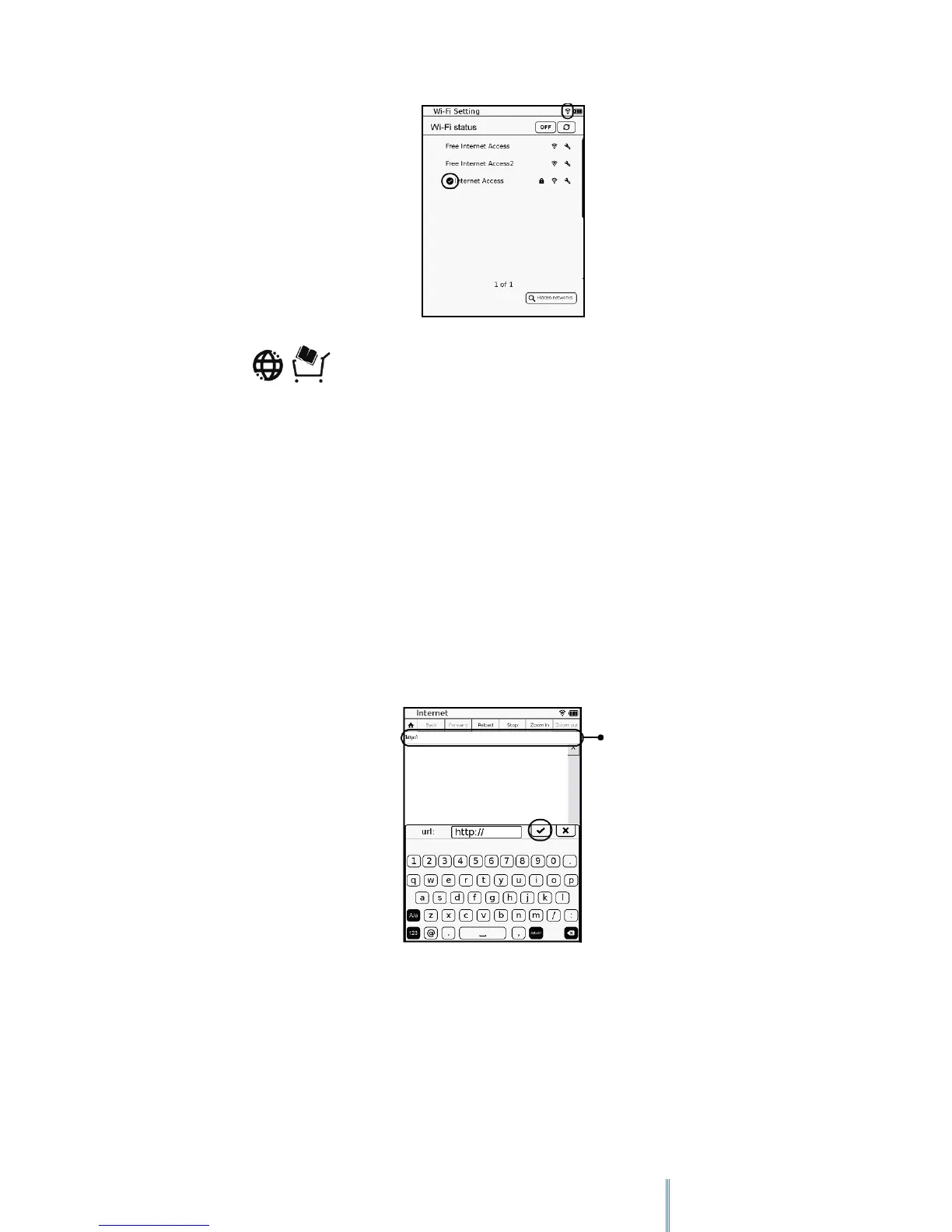
7. Tap to enter Internet mode. The default web site list then appears on
the screen. Tap a link to enter its web site. Now you are ready to access the Internet.
10.2 Accessing a Web Page
Upon entering Internet mode, the default web site list appears on the screen. You can tap to
visit a web site directly, or enter a URL for a web site to view by yourself.
1. Tap the URL input box.
2. Use the on-screen keypad to enter the URL for your desired web site. When done, tap
to confirm inputs.
3. After a few seconds, the web page appears on the screen.
URL input box



 To Next Page