8. Image Mode
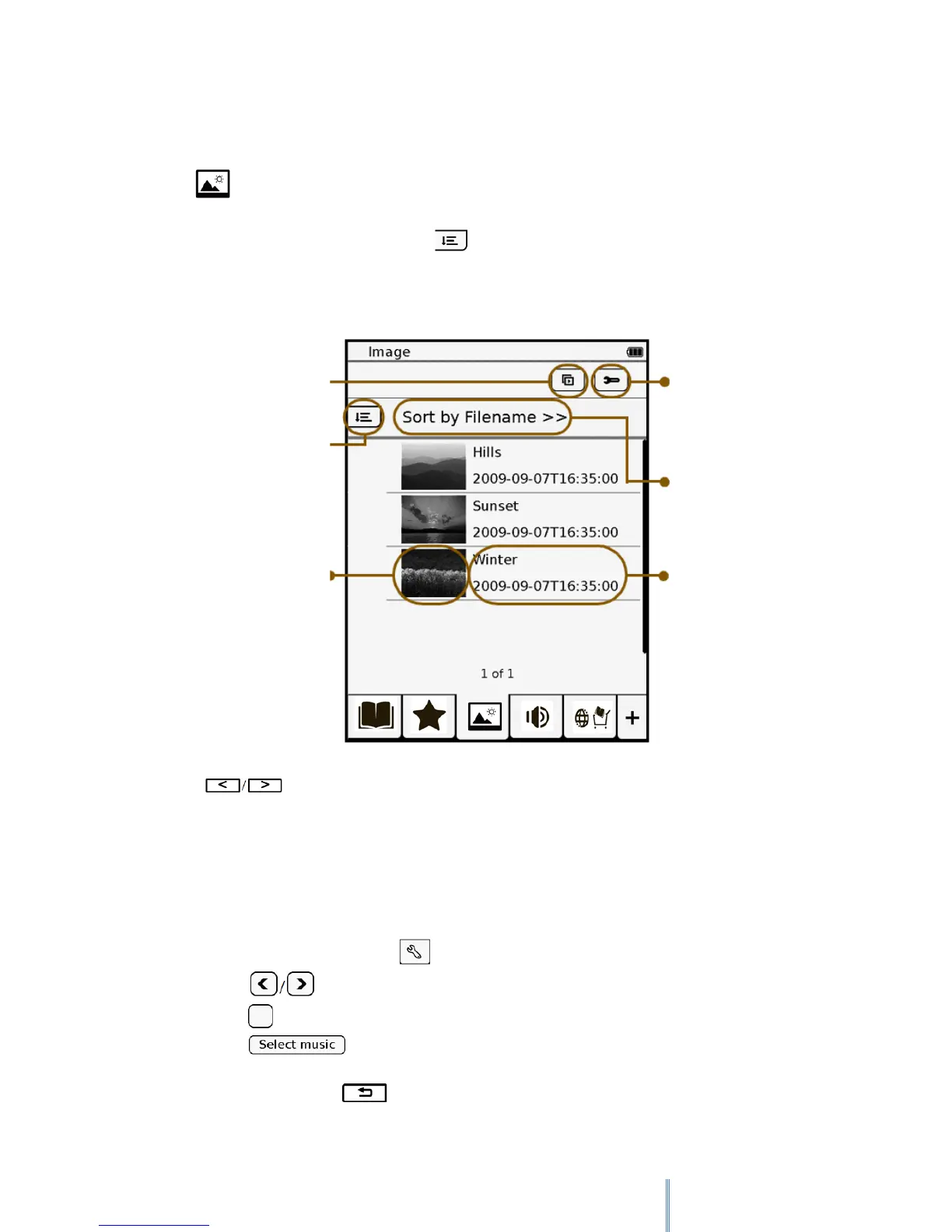
Tap to enter Image mode and the Image list appears on the screen. The images stored
in the internal memory as well as on the inserted MicroSD card will both be shown on the
Image list, arranging in folder order. Tap to sort the Image list by file name or by the
file’s last modified/ download time.
Press to go through pages of images, if available. Tap a desired image to view it in
full screen.
8.1 Setting the slideshow options
1. On the Image list page, tap to display the slideshow setting options.
2. Tap to set the slideshow interval.
3. Tap to enable slideshow playback repetition and background music.
4. Tap and select an audio file as the background music during slideshow
playback.
5. When done, press to go back to the Image list page.
Starts a slideshow
Sorting options
of the image list



 To Next Page