10.3 Browsing a Web Page
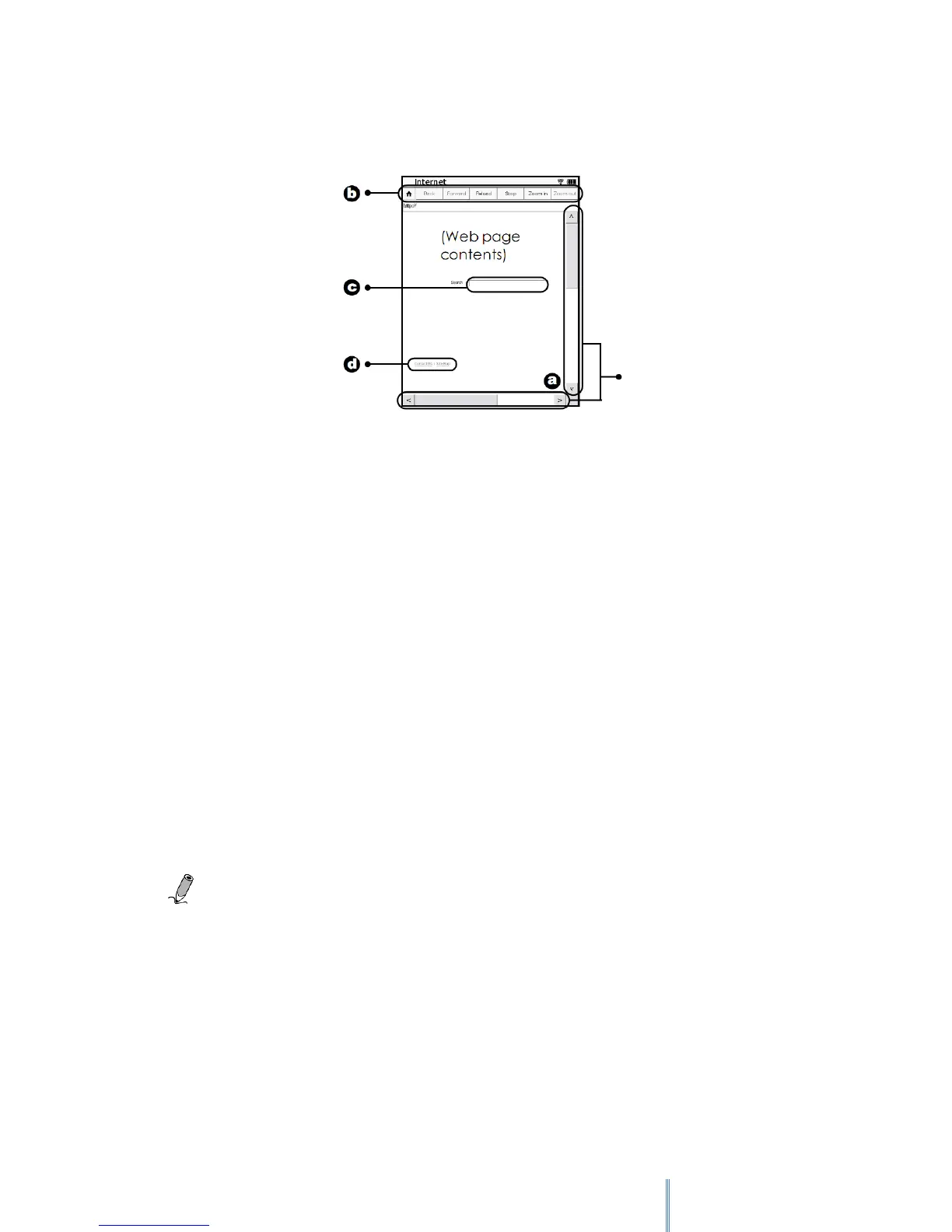
1. To view the complete content of the web page, tap the scroll bar on the sides to move
through the page.
2. To go to the previous or next web page, tap Back or Forward. To stop loading or to
reload the current page, tap Stop or Reload. To zoom in or out the current page, tap
Zoom in or Zoom out.
3. To enter texts when browsing a web page, for example, keywords for a search box, tap
the text input box to display the on-screen keypad. Use the keypad for text inputs.
4. To navigate the hyperlinks on the web page, directly tap the hyperlinks, shown
mostly as underlined words.
10.3.1 Downloading a File
To save or download a playable file from a web page, tap the “Save”, “Download” or similar
buttons or links. The downloaded file will be stored and re-arranged accordingly under Book
list/Image/Audio modes.
Note: The device can only download playable files from the Internet.
Scroll



 To Next Page