10. Internet Mode
Tap to access the Internet and download playable files. Before logging on to the
Internet, you need to connect the device to a Wi-Fi network first.
10.1 Connecting to a Wi-Fi Network
1. Tap to enter Settings mode.
2. Tap Wi-Fi Setting to enter the Wi-Fi setting page.
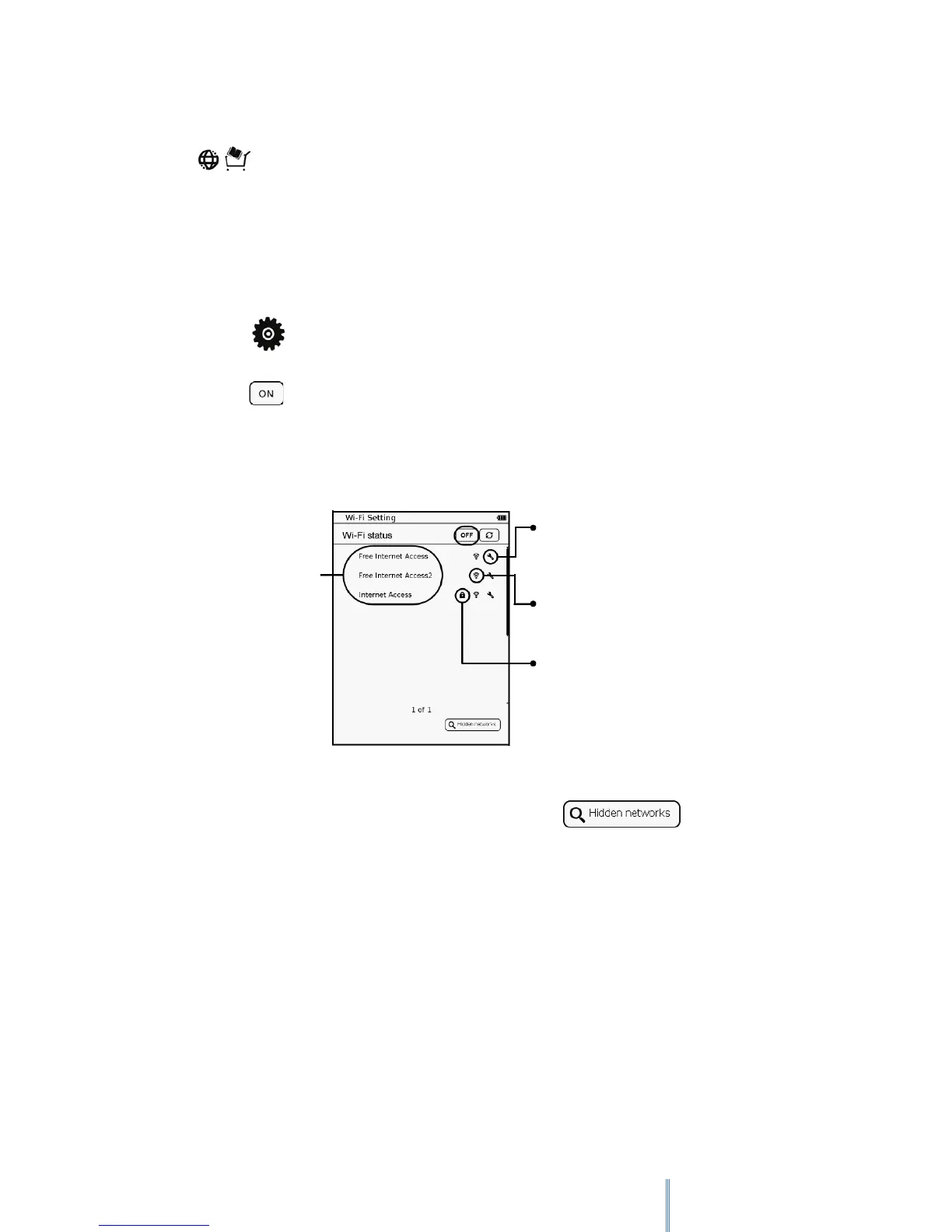
3. Tap to turn the Wi-Fi on. The device scans for available wireless networks. The
network names (SSID) and security settings of discovered Wi-Fi networks display in a
list.
a. If your desired network is in the list, continue to Step 4.
b. If your desired network is not in the list, tap
Tap to set up its network setting.
Wi-Fi signal strength
This Wi-Fi network is secured
Wi-Fi network list



 To Next Page