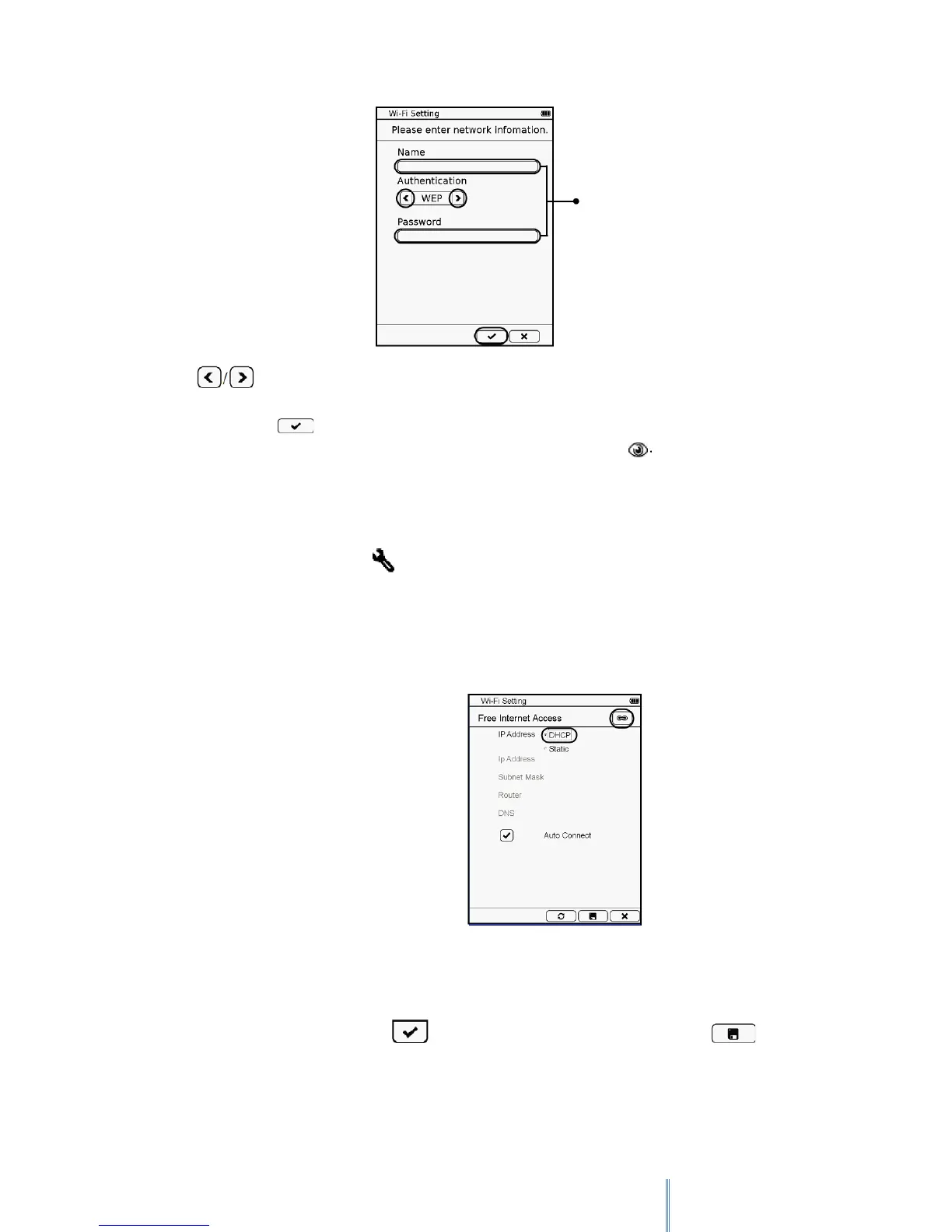
Tap to select the security type of your desired Wi-Fi network. Tap the text input box
and enter the name and password, if needed, for the network using the onscreen keypad.
When done, tap to confirm inputs. If the hidden network is discovered, its name will be
added onto the Wi-Fi network list with its signal strength displayed as .
4. If your desired Wi-Fi network is not secured, you can:
a. Tap the desired Wi-Fi network to start connection.
b. Tap the Setup icon next to your desired Wi-Fi network. Its network name
and network setting information then appears on the screen. Configure the
initial IP address in the following ways:
DHCP (Dynamic Host Configuration Protocol): the device automatically
obtains an IP address from the DHCP server.
Static IP: Assigns a set of IP address, Subnet Mask, IP address of the
gateway router and IP address of the DNS server. Tap the number
input box and use the on-screen keypad to enter its figures. When
done, tap to confirm inputs. To save the inputs, tap
Text input box



 To Next Page