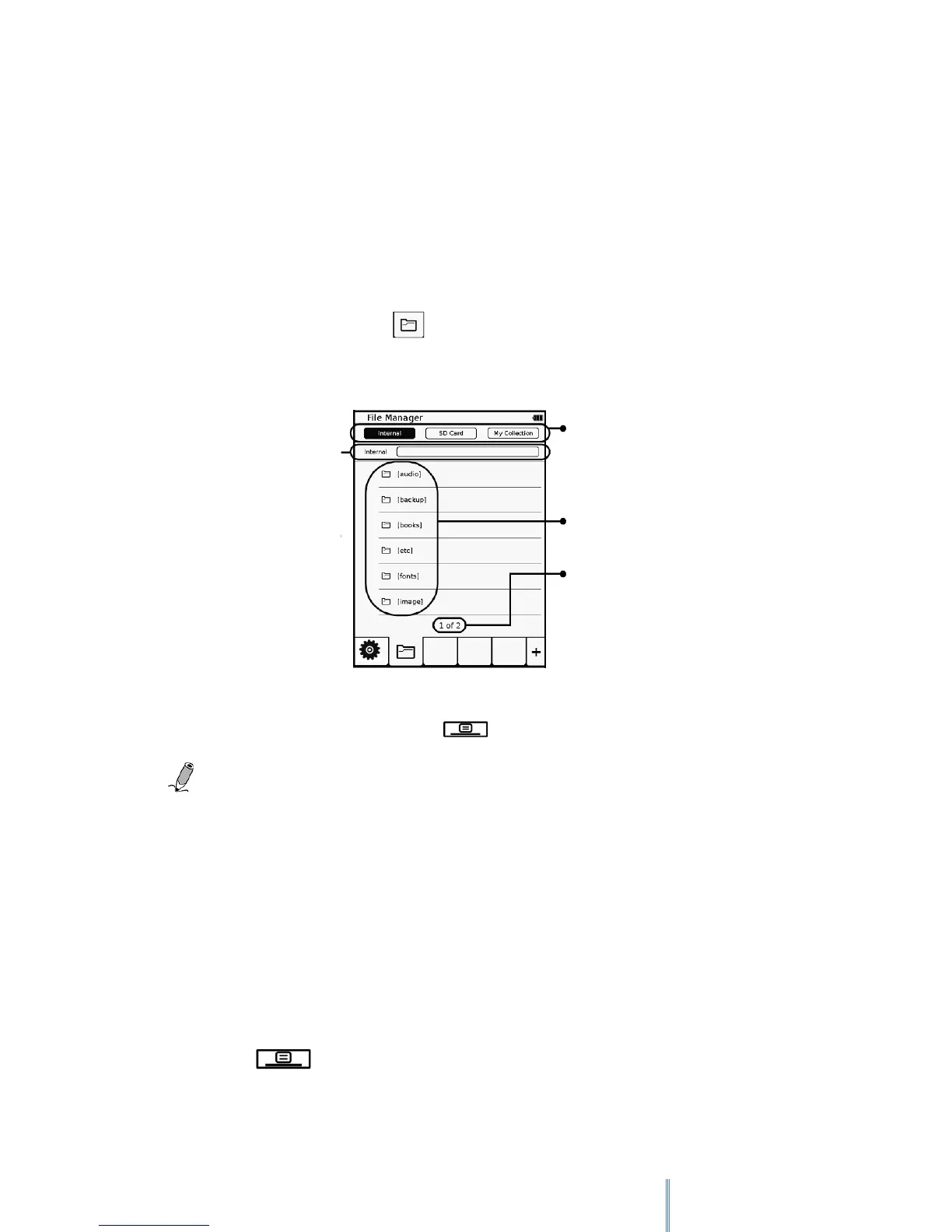
12. File manager Mode
The File manager allows you to delete files, rename and/or copy files to/from the
internal memory and your MicroSD card.
To open the File manager, please follow the next steps:
1. Tap the Settings icon.
2. In the next screen, tap .
To go back to the first level of the list, tap and then tap “Go back to root”
Note: Files downloaded from the internet can only be accessed from your device
and you will not be able to move them to your PC.
12.1 Delete files
In order to delete files, please follow the next steps:
1. Choose the location of the file you wish to delete: Internal / SD Card /My
collection.
2. Tap and then “Delete Mode”
Select file’s location
Shows the location of
the files
Folders/files
Page number / number of pages. Tap
the number to open the page



 To Next Page