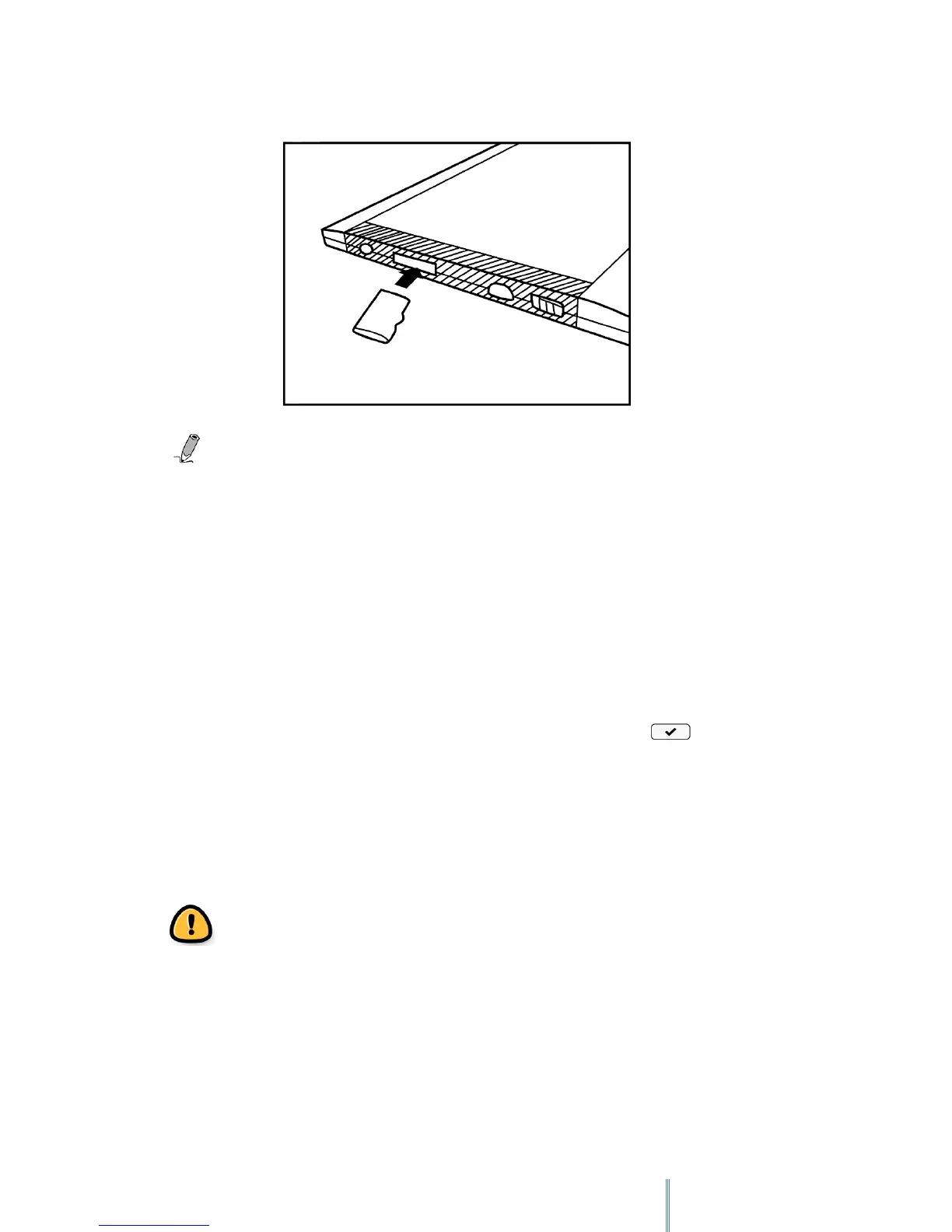
Supported memory card types: MicroSD/microSDHC
3.6 Browsing files from a MicroSD card
You can use the device to browse or play back your personal book/image/audio files stored on
a MicroSD card.
1. Insert a MicroSD card into your device’s MicroSD card slot with the metal contacts
facing downwards.
2. Insert the micro USB cable’s micro USB connector into the device’s micro USB port.
3. Insert the cable’s USB connector into a computer’s USB port. Tap when
prompted to use the device as a mass storage. The MicroSD card inserted into your
device will be recognized by your computer as a removable drive (Windows systems).
4. On the computer, copy desired book/image/audio files from another drive/folder to
the removable drive.
Warning: Do not remove the MicroSD card from the device or break the USB
connection while copying files.
5. When done, remove the cable safely from both the device and the computer. The
copied files will be recognized and re-arranged accordingly under Book
list/Image/Audio modes.
6. Go to Book list, Image or Audio modes to read books, view images or listen to audio
files you just copied.



 To Next Page