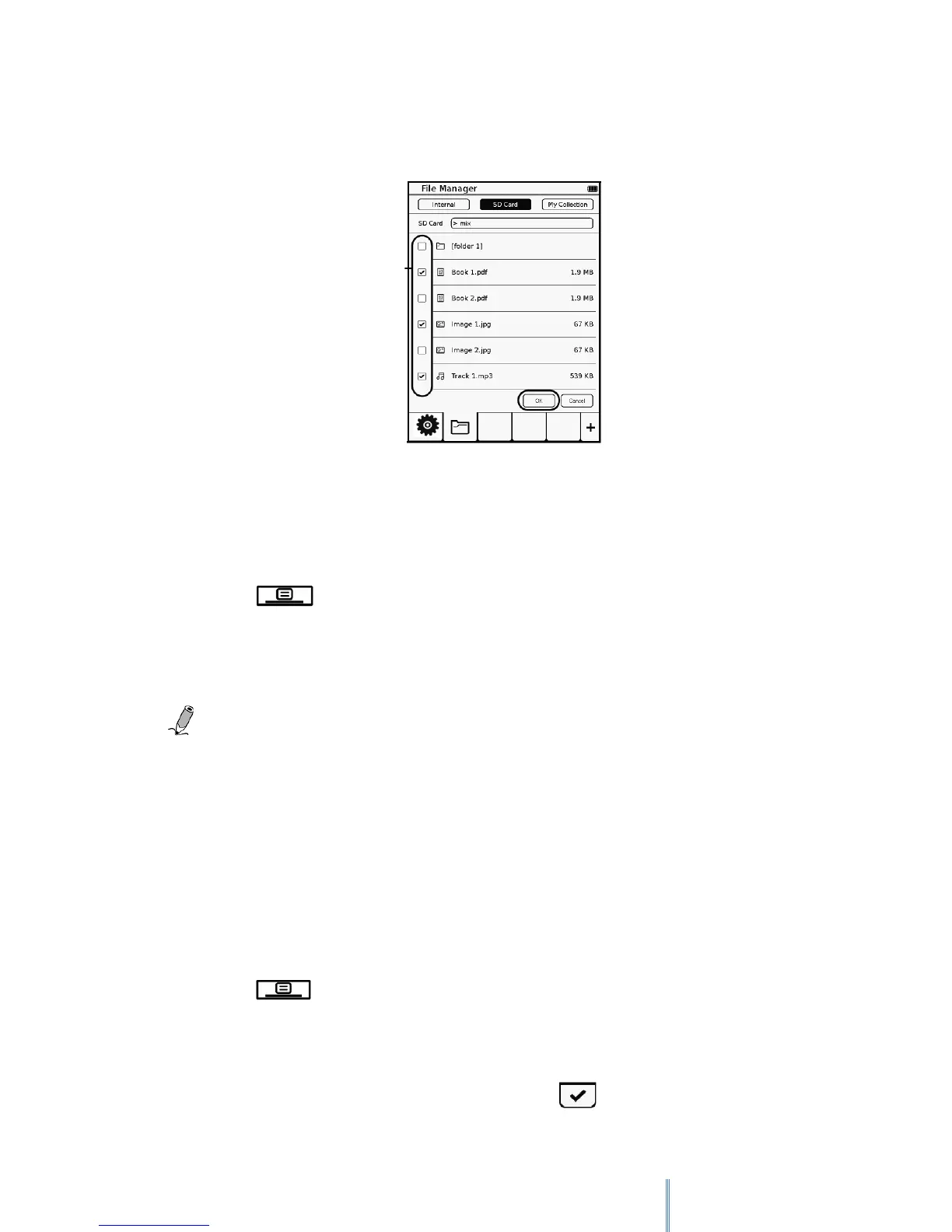
3. From the file list or inside the folder, select one or more files and then tap
“OK”.
12.2 Copy files.
To copy files, please follow the next steps:
1. Select “SD Card”
2. Tap icon> and then “CopyMode”
3. Select the files you wish to copy and tap “OK”. The files selected will be copied
in the internal memory of the device.
Note: The “Copy” function is only available to copy files from the SD card to the
internal memory.
12.3 Rename files
To rename files, please follow the next steps:
1. Select any location: Internal/Tarjeta SD/ My collection.
2. Tap and then “RenameMode”.
3. Select the file you wish to rename and tap “OK”.
4. Use the keyboard to change the name and tap to confirm.
Tap the tick box to select
the file/folder you wish
to delete



 To Next Page