27
User Manual
9 Cleaning
9.5 Cleaning the Label Sensor
Attention!
Label sensor can be damaged!
Do not use sharp or hard objects or solvents to clean the label sensor.
Thelabelsensorcanbecomedirtiedwithpaperdust.Thiscanadverselyaffectlabeldetection.
1
2
3
4
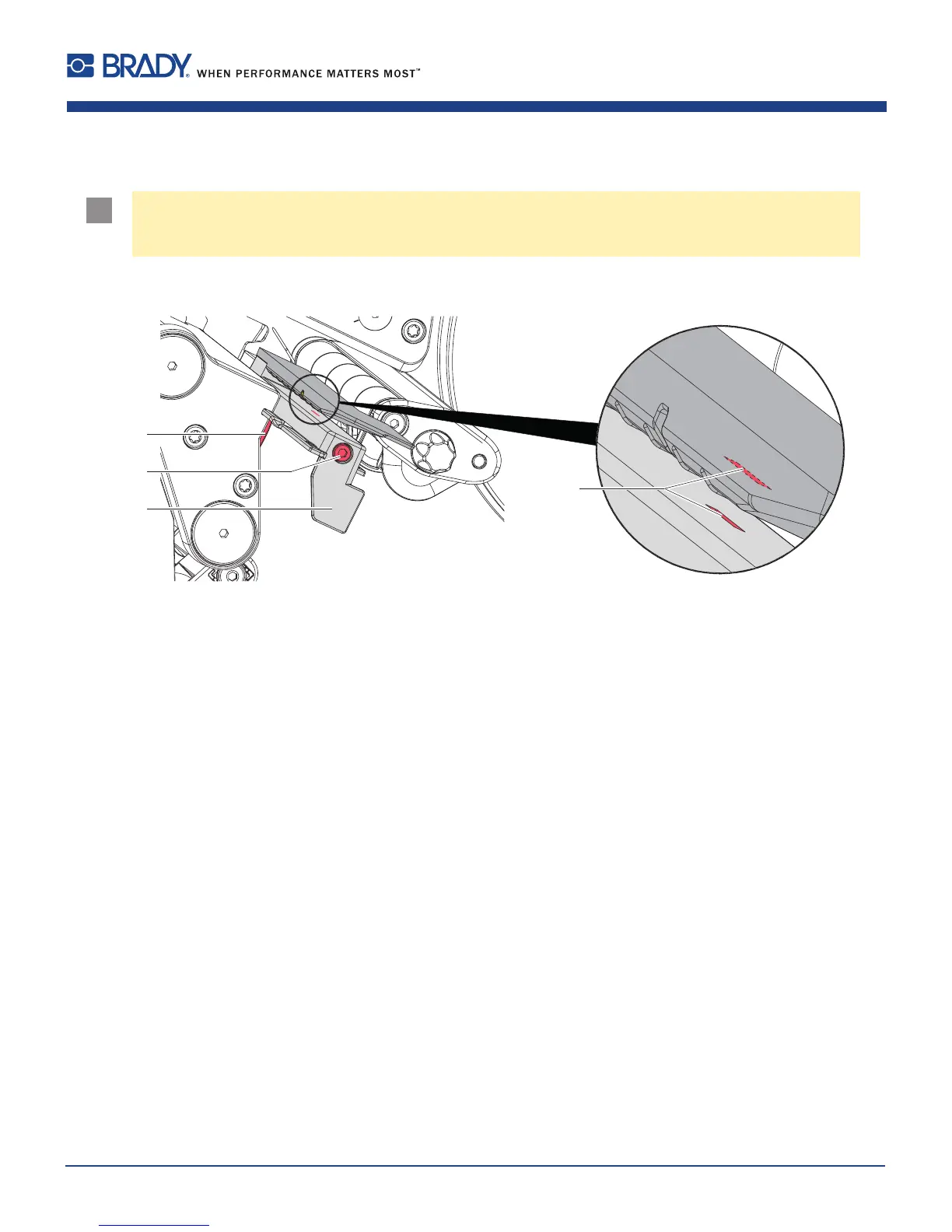
Figure22 Cleaningthelabelsensor
1. Removelabelsandtransferribbonfromtheprinter.
2. Loosenscrew(2).
3. Holdpressedthebutton(1)andslowlypulllabelsensoroutwardviathetab(3).Ensurethatthelabelsensor
cableisnottensionedbythis.
4. Cleanlabelsensortheslots(4)withbrushorcottonswabsoakedinpurealcohol.
5. Pushlabelsensorbackviatab(3)andsetit(7.1.3onpage17).
6. Reloadlabelsandtransferribbon.















 To Next Page