13
User Manual
6 Touchscreen Display
Theusercancontroltheoperationoftheprinterwiththecontrolpanel,forexample:
• Issuing,interrupting,continuingandcancelingprintjobs,
• Settingprintingparameters,e.g.heatleveloftheprinthead,printspeed,interfaceconguration,languageand
timeofday(CongurationManual),
• Controlstand-aloneoperationwithamemorymodule(CongurationManual),
• Updatethermware(CongurationManual).
Manyfunctionsandsettingscanalsobecontrolledbysoftwareapplicationsorbydirectprogrammingwitha
computerusingtheprinter’sowncommands.ProgrammingManualfordetails.
Settingsmadeonthetouchscreendisplaymakeupthebasicsettingsofthelabelprinter.
Note!
It is advantageous, whenever possible, to make adaptations to various print jobs in the software.
6.1 Start Screen
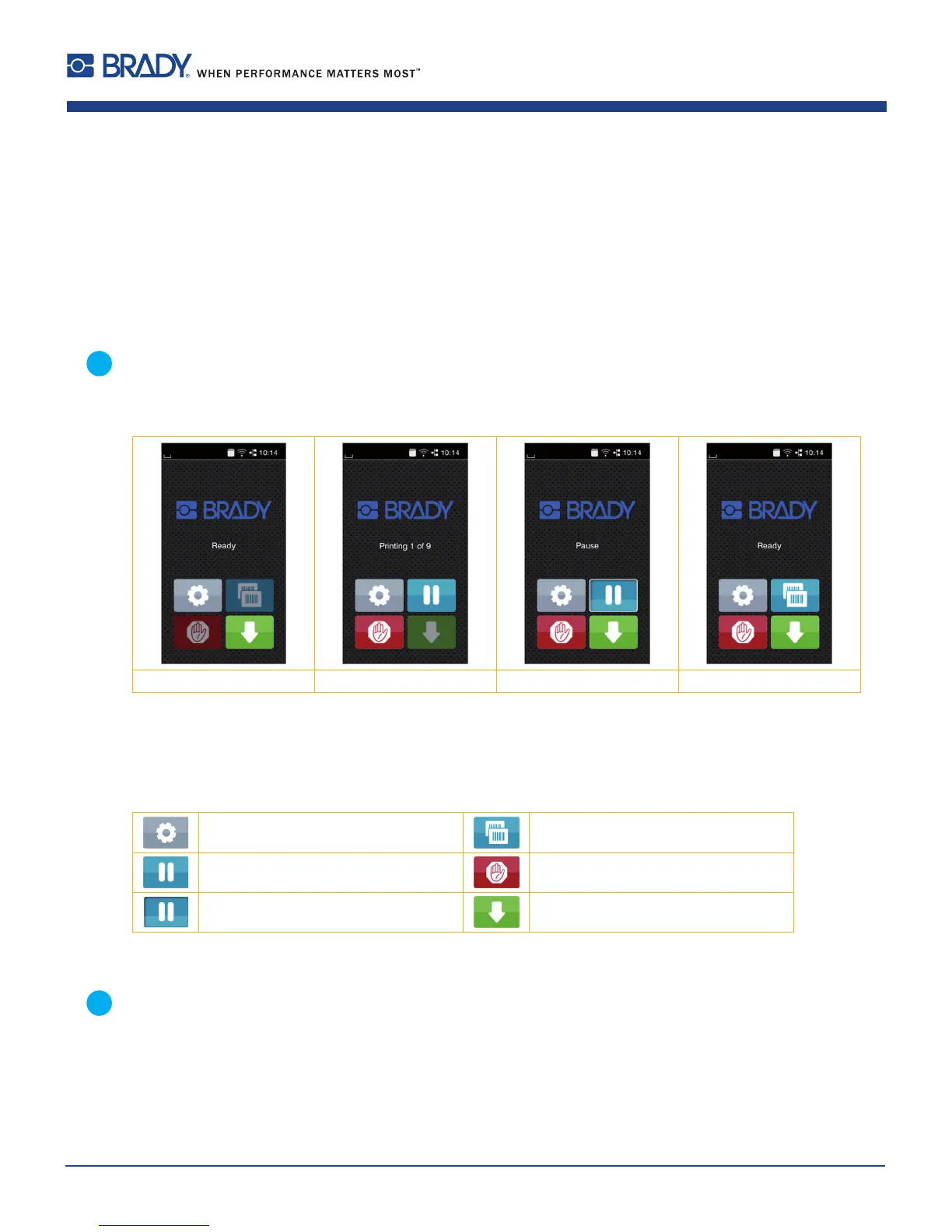
Afterswitchingon Duringprinting Inpausestate Afterprintjob
Figure4 Startscreen
Thetouchscreendisplayisoperateddirectlybytouch:
• Toopenamenuorselectamenuitemlightlytouchthecorrespondingsymbol.
• Toscrollinlistsslidengerupordownonthedisplay.
Openthemenu Repeatthelastprintedlabel
Interrupttheprintjob Cancelallprintjobs
Continuetheprintjob Feedablanklabel
Table1 Symbolsonthestartscreen
Note!
Inactive symbols are shaded.















 To Next Page