28
User Manual
10 Fault Correction
10.1 Error Display
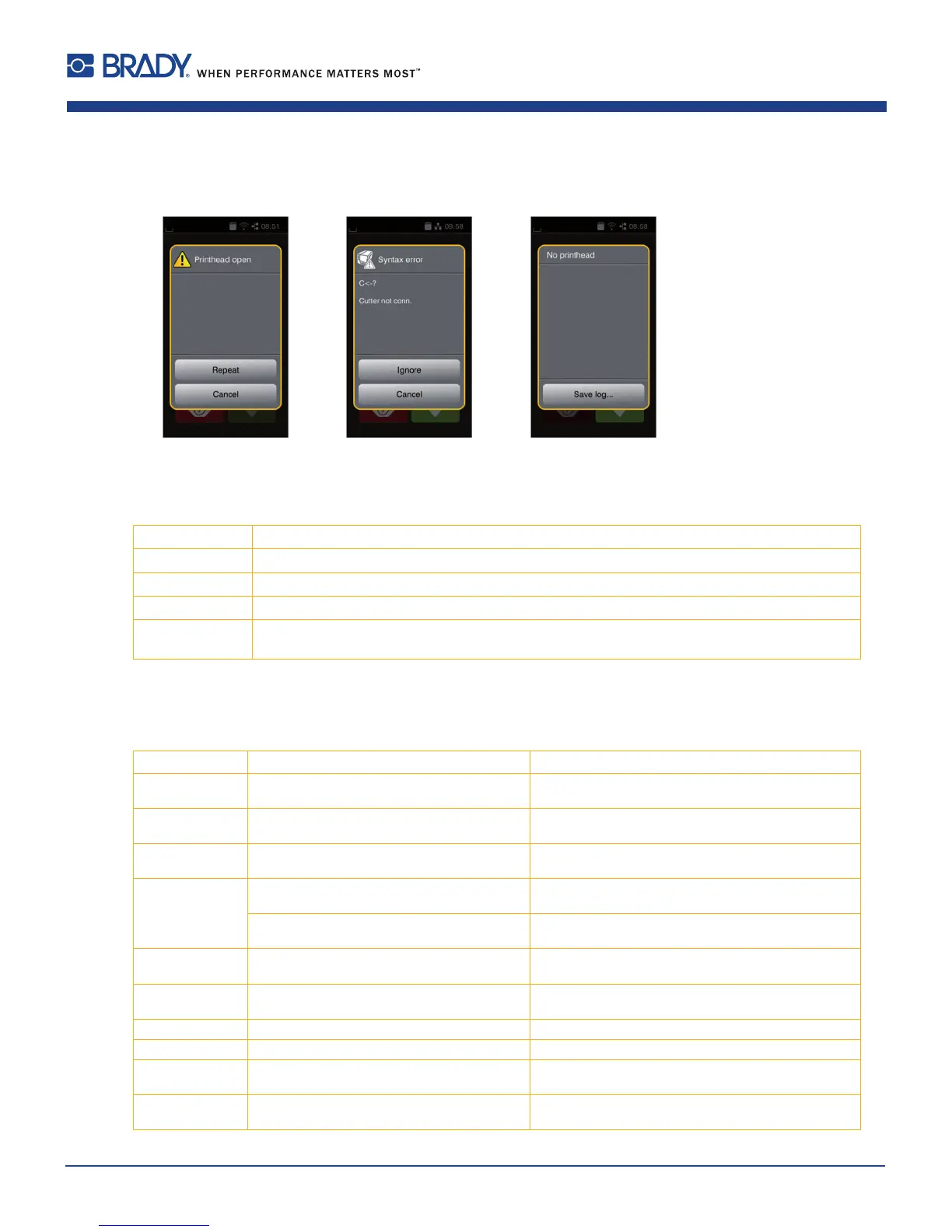
Theappearanceofanerrorwillbeshownonthedisplay:
Figure23 Errordisplay
Theerrortreatmentispendingontheerrortype10.2onpage28.
Thedisplayoffersthefollowingpossibilitiestocontinueafteranerroroccurred:
Repeat
Theprintjobwillbecontinuedafterclearingtheerrorcause.
Cancel
Theprintjobwillbecancelled.
Feed
Thepaperfeedwillbesynchronized.Followingtheprintjobcanbecontinued.
Ignore
Theerrormessagewillbeignored.Theprintjobwillbecontinuedpossiblywithlimitedperformance.
Save log
Theerrordoesnotallowprintoperation.
Fordetailedanalysisseveralsystemlescanbesavedonanexternalmemory.
Table3 Buttonintheerrordisplay
10.2 Error Messages and Fault Correction
Error message Cause Remedy
Barcode error
Invalidbarcodecontent,e.g.alphanumeric
charactersinanumericalbarcode
Correctthebarcodecontent.
Barcode too big
Thebarcodeistoobigfortheallocatedarea
ofthelabel
Reducethesizeofthebarcodeormoveit.
Buffer overflow
Theinputbuffermemoryisfullandthe
computerisstilltransmittingdata.
Usedatatransmissionviaprotocol(preferablyRTS/
CTS).
Cutter blocked
Cuttercannotreturnintoitshomeposition
andstaysinanundenedposition
Switchofftheprinter.Removematerial.Switchon
theprinter.Restartprintjob.Changematerial
Nocutterfunction Switchtheprinteroffandthenon.
Iferrorrecurscallservice.
Cutter jammed
Thecutterisunabletocutthelabelsbutis
abletoreturnintoitshomeposition
PressCancel
Changematerial.
Device not conn.
Programmingaddressesanon-existent
device
Eitherconnectthisdeviceorcorrectthe
programming.
File not found
Requestedleisnotonthecard Checkthecontentsofthecard.
Font not found
Errorwiththeselecteddownloadfont Cancelcurrentprintjob,changefont.
Memory overflow
Currentprintjobcontainstoomuchinfor-
mation,e.g.selectedfont,largegraphics
Cancelcurrentprintjob.
Reduceamountofdatatobeprinted.
Name exists
Duplicateusageofeldnameinthedirect
programming
Correctprogramming















 To Next Page