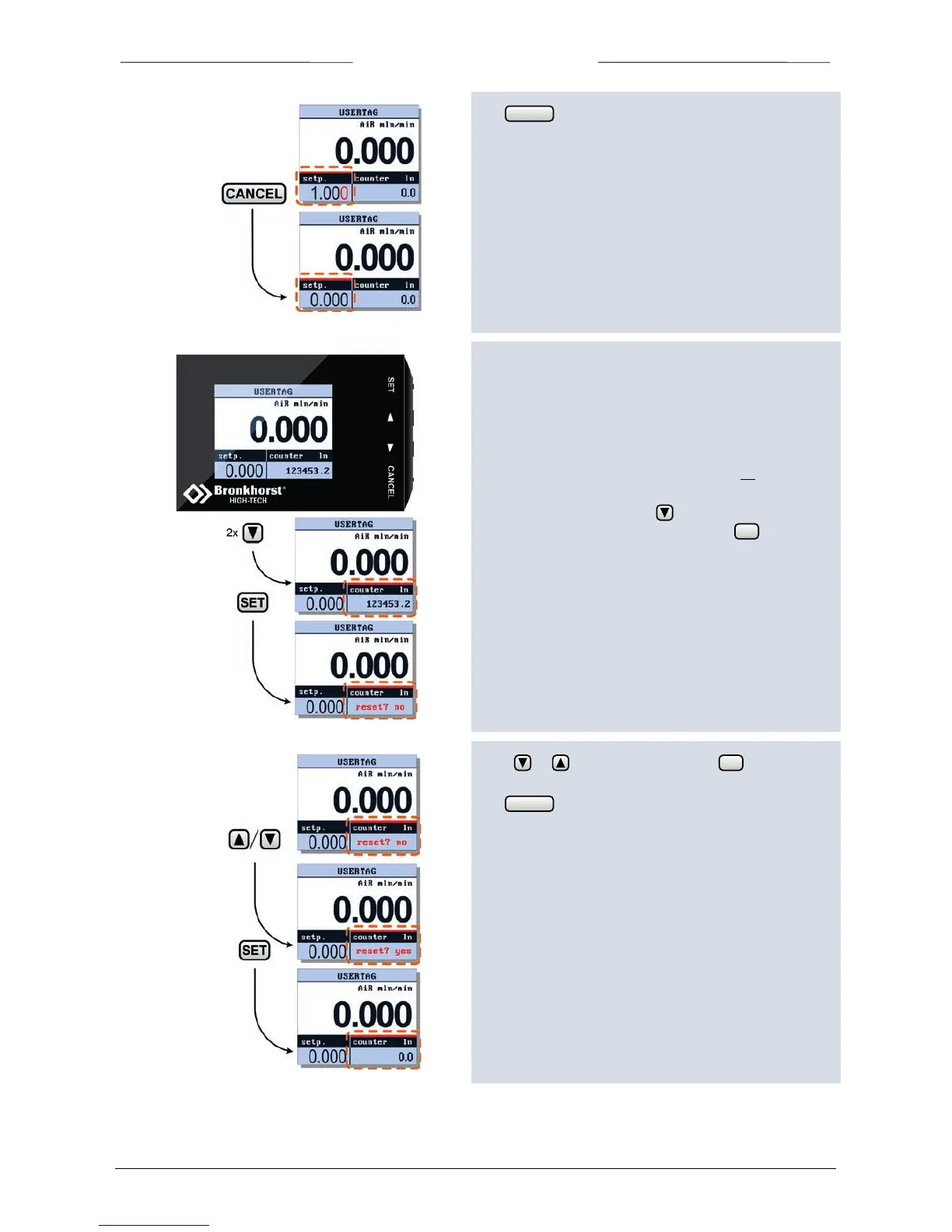
5.9 Reset Counter
The Counter can only be reset when the counter
parameter is displayed in custom readout 2. Security
settings can be set to avoid unauthorised access to the
counter parameter.
Check chapter “Custom readout 2” on page 10 how to
change the shown parameter.
To reset the counter press 2x to select the readout area
in which this parameter is displayed. Press to enter
the edit mode.
Press or to select ‘yes’ and press to confirm.
The counter will be reset to 0.
The button can be used to exit the edit mode and
cancel the changes.



 To Next Page