When the final character is changed, press to confirm
and to exit the edit mode.
6.19 Setup menu
Via the setup menu you can:
o get information about the connected instrument.
o customize display information
o customize display appearance
o change bus settings when connected to a bus
system
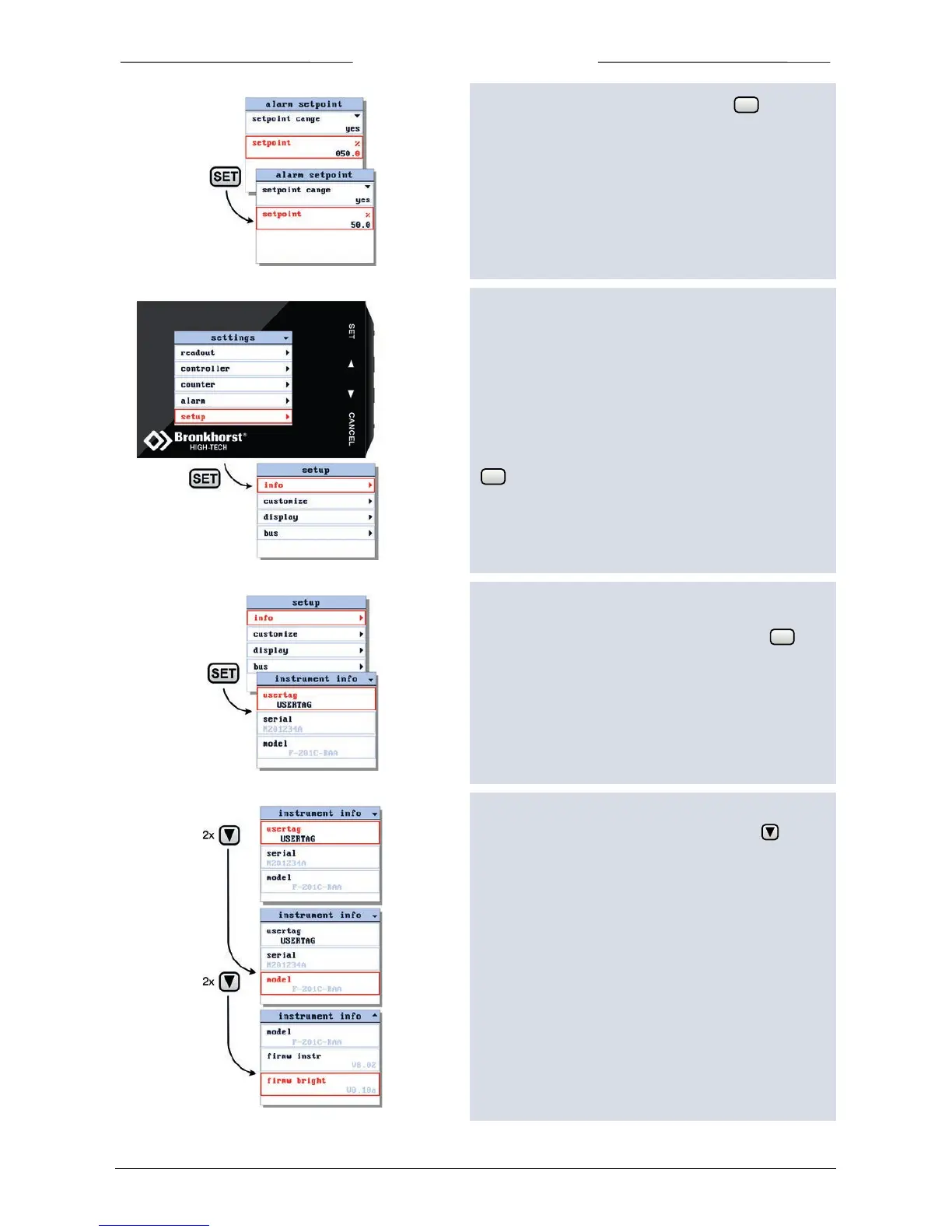
Select the setup option from the settings menu and press
.
6.20 Get instrument information
Select the info item in the setup menu and press .
When entering the instrument info screen the instrument
usertag, serial number and model are displayed.
The sign in the upper right corner indicates that you can
scroll through the menu screen items using the button.
Scroll up and down to view:
o usertag*
o instrument serial number
o instrument model number
o instrument firmware version
o bright firmware version
*) editable



 To Next Page