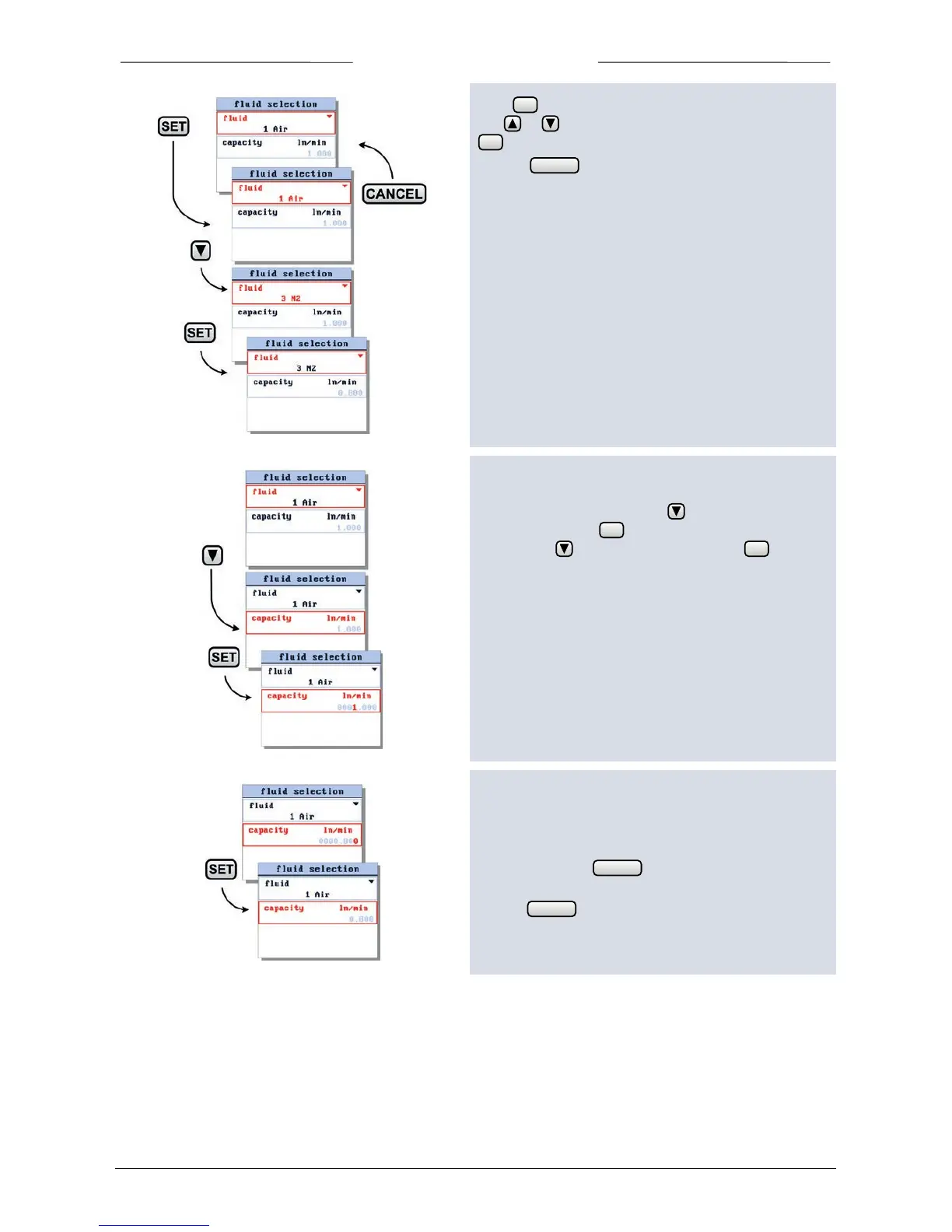
Press again to enter the edit mode of the fluid field.
Use or to select one of the available fluidsets. Press
to confirm.
Press 3x to return to the readout screen.
6.4 fluid capacity
From the readout screen, press to select ‘fluid
selection’ and press to enter. In the fluid selection
screen press to select capacity and press to enter
the edit mode.
Now the fluid capacity can be changed between the
minimal and maximal capacity of the selected fluid of the
operating instrument.
When the last character is confirmed, the value will be
activated. Pressing before confirming the final
character will undo changes.
Use the button to return to the measure screen.



 To Next Page