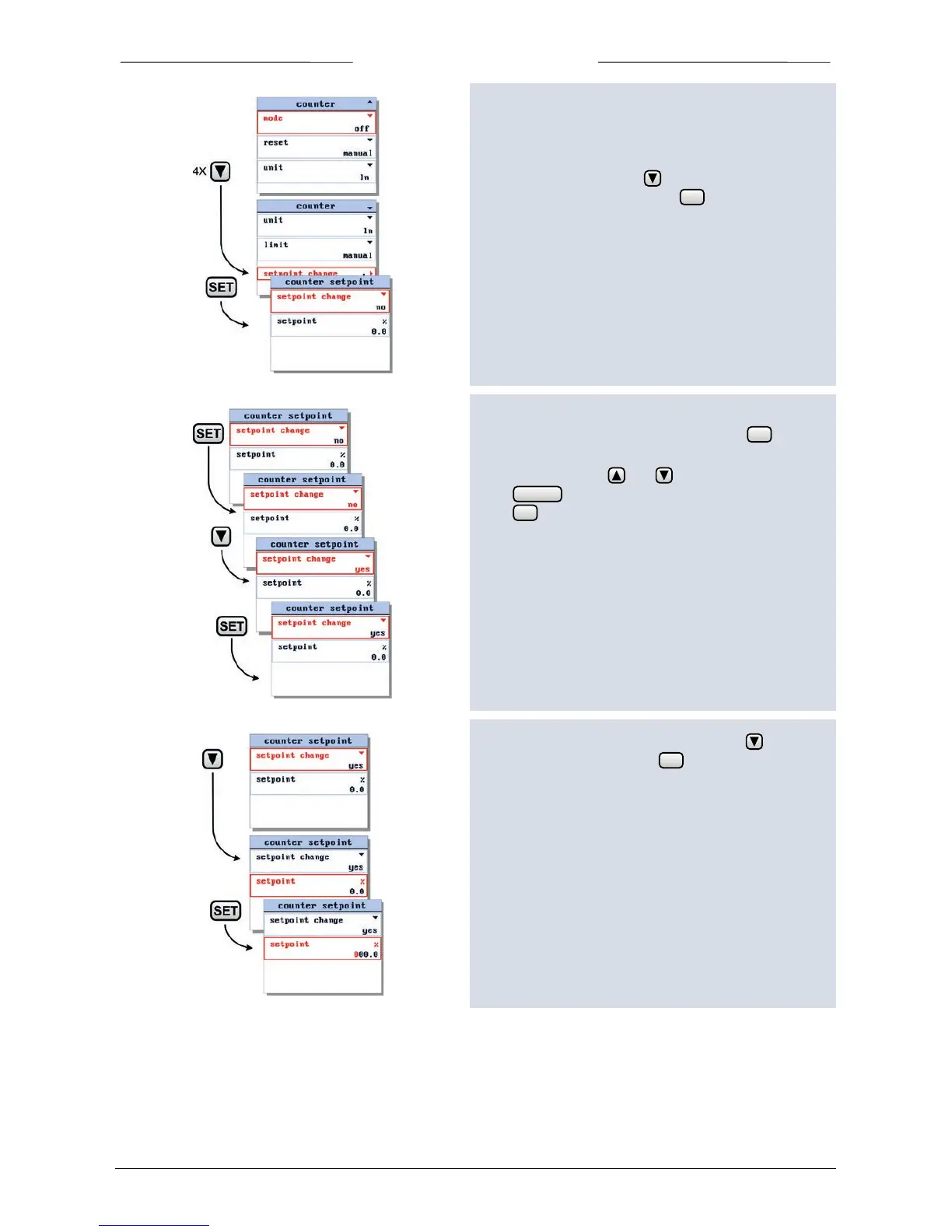
6.14 Set setpoint at counter limit
You can program an automatic setpoint which will be
activated when the counter limit is reached.
To change this setpoint use button to select the
setpoint change option and press to enter the
counter setpoint settings screen.
When entering the counter setpoint settings screen the
setpoint change parameter is selected. Press to enter
the edit mode.
In the edit mode, use and to select ‘yes’ or ‘no’.
Press to exit the edit mode without changes.
Press to confirm your selection and to exit the edit
mode.
In the counter setpoint settings screen press to select
the setpoint parameter. Press to enter the edit mode.



 To Next Page