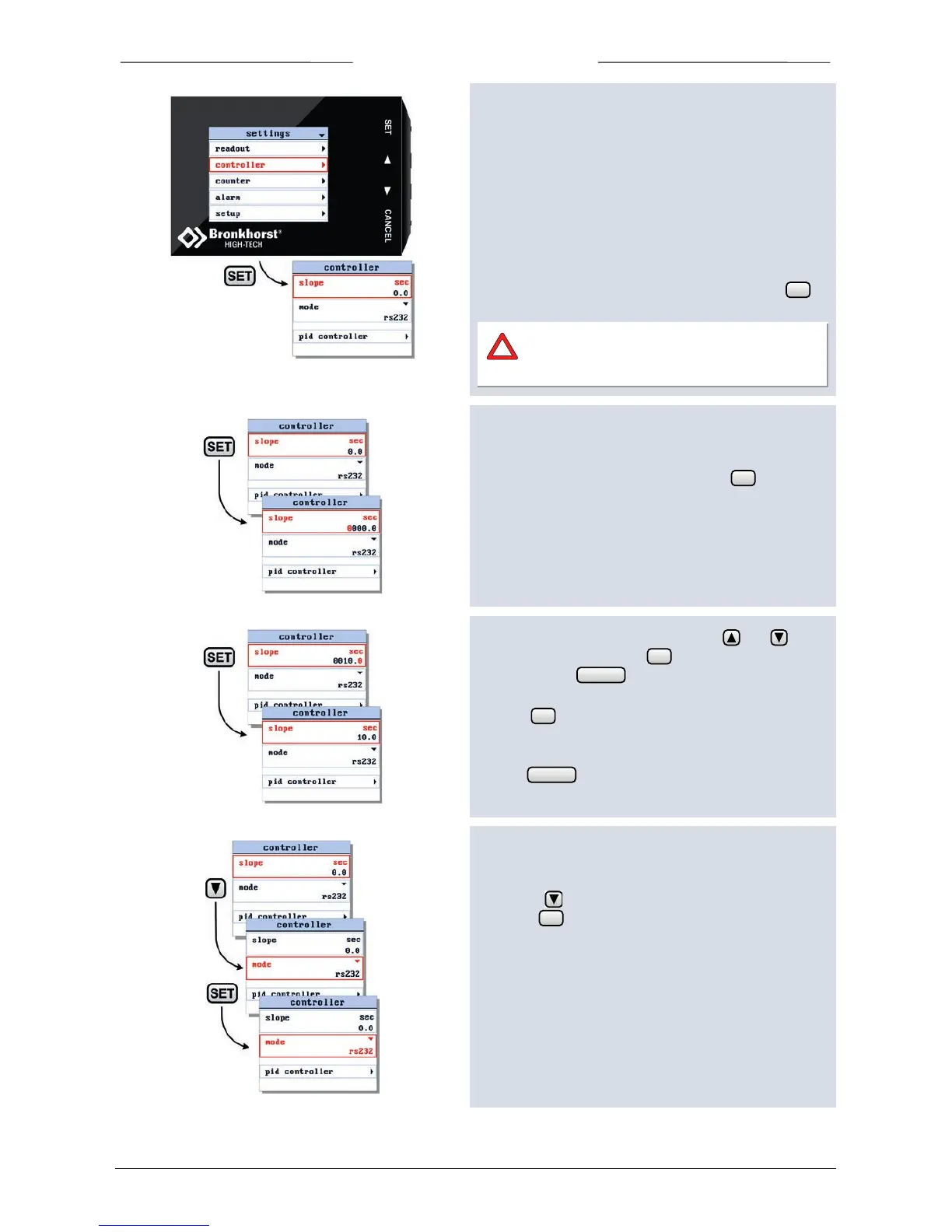
6.5 Controller settings screen
From the controller settings screen you can edit the
following settings:
o setpoint slope time
o controller mode
o master address.
o PID settings
o response settings
To enter the controller settings screen, select the
controller option from the settings menu and press .
Take care when changing the controller
settings. Wrong controller settings can cause
unpredictable instrument behavior.
6.6 Setpoint slope
When entering the controller settings screen, the setpoint
slope parameter is already selected. Press to enter
the edit mode.
Now you can change the slope time. Use and to
select a character and press to select the next
character. Press to exit the edit mode without
changes.
Pressing after changing the final character will
confirm your input, the value will be sent to the
instrument.
Use the button to return to the readout screen.
6.7 Controller mode
Enter the controller settings screen from the settings
menu. Use to select the controller mode parameter
and press to enter the edit mode.



 To Next Page