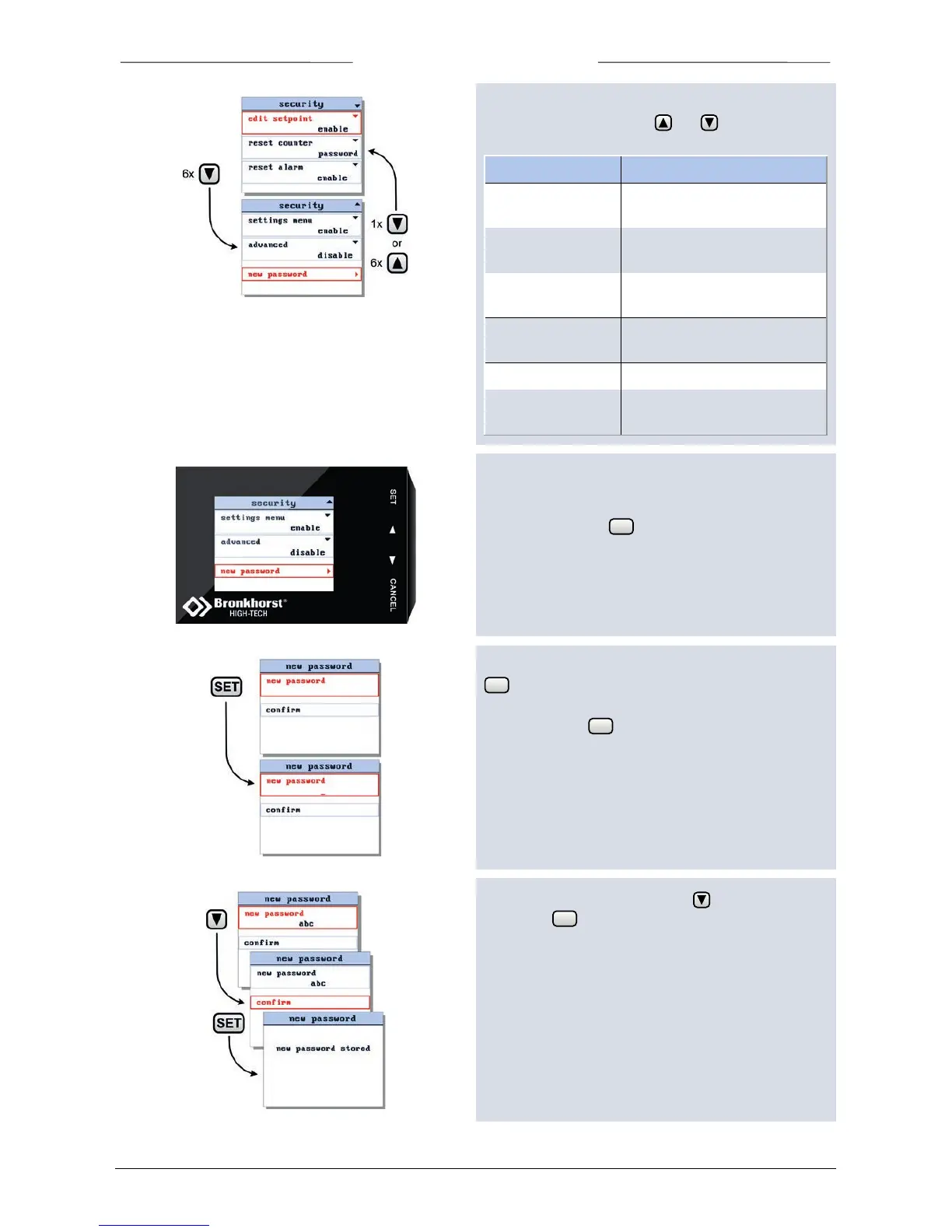
The or signs in the upper right corner indicates that you
can scroll this menu using the and buttons to select
more items. The accessibility of following items can be set:
edit mode of the setpoint in
both custom readout 1 and 2
counter reset in custom
readout 2.
alarm reset displayed in custom
readout 2.
selecting another instrument
on the flowbus.
advanced submenu in the
settings menu
7.4 Change Password
To change the password, select the option ‘new
password’ and press .
This will open the ‘new password’ input display. Press
again to enter the new password edit mode.
You can enter a maximum of 8 characters. For less
characters, press till the end of the edit field.
After changing the password press to select ‘confirm’.
Then press .
Now the new password is stored and should be used to
enter the password protected items.
Press any key to return to security settings screen.



 To Next Page