Use the and button to edit each character, press
to select the next character. Press to cancel
the input and exit the edit mode without changes.
By pressing after the final character you will confirm
the value. The new value will be sent to the instrument.
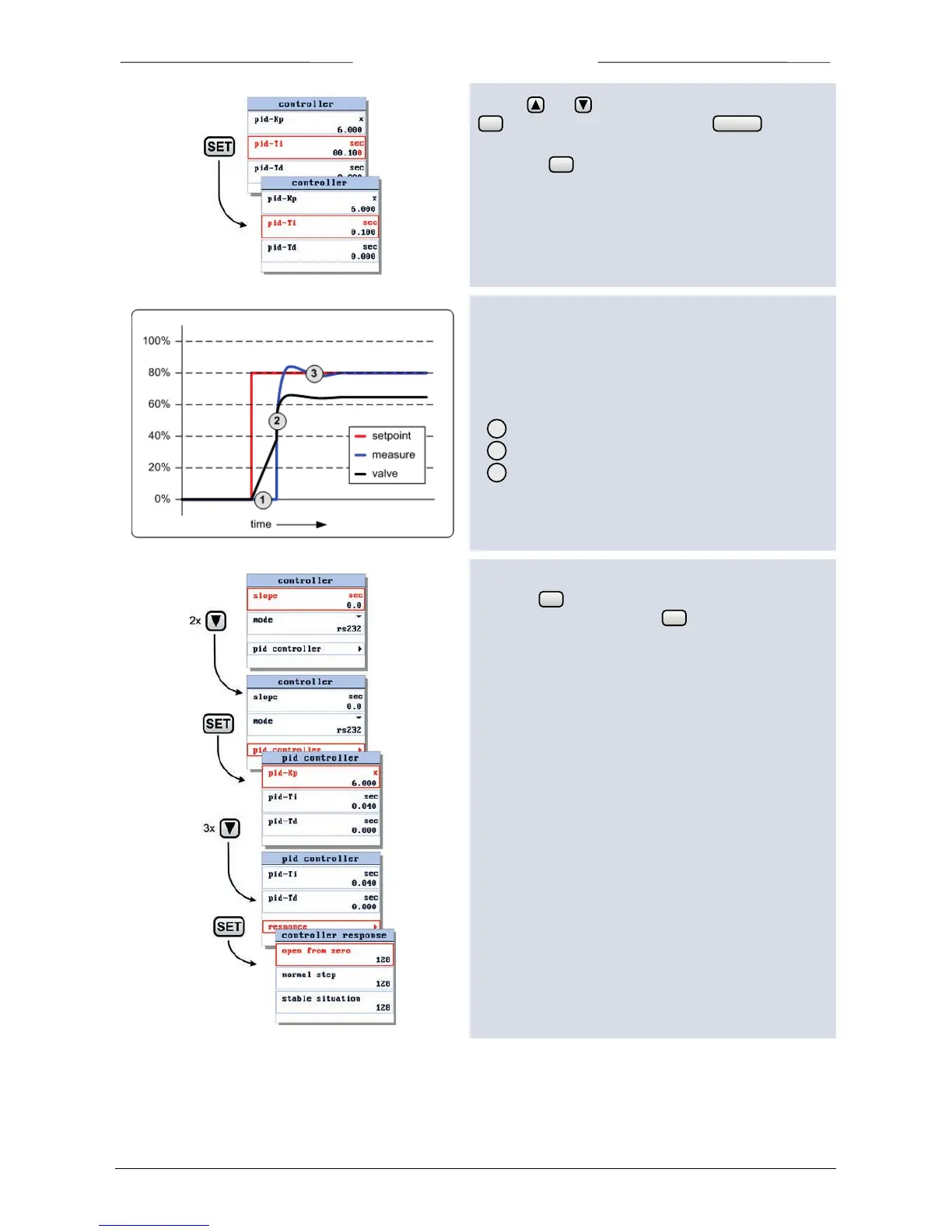
6.10 Controller response settings
The controller response settings can be used to fine tune
the controller response. We have defined three control
ranges. For each range we defined a parameter to
influence the controller speed.
Open from zero
Normal step
Stable situation
To edit these parameters, select the the ‘pid controller’
and press . In the pid controller settings screen select
the option response and press to enter.



 To Next Page