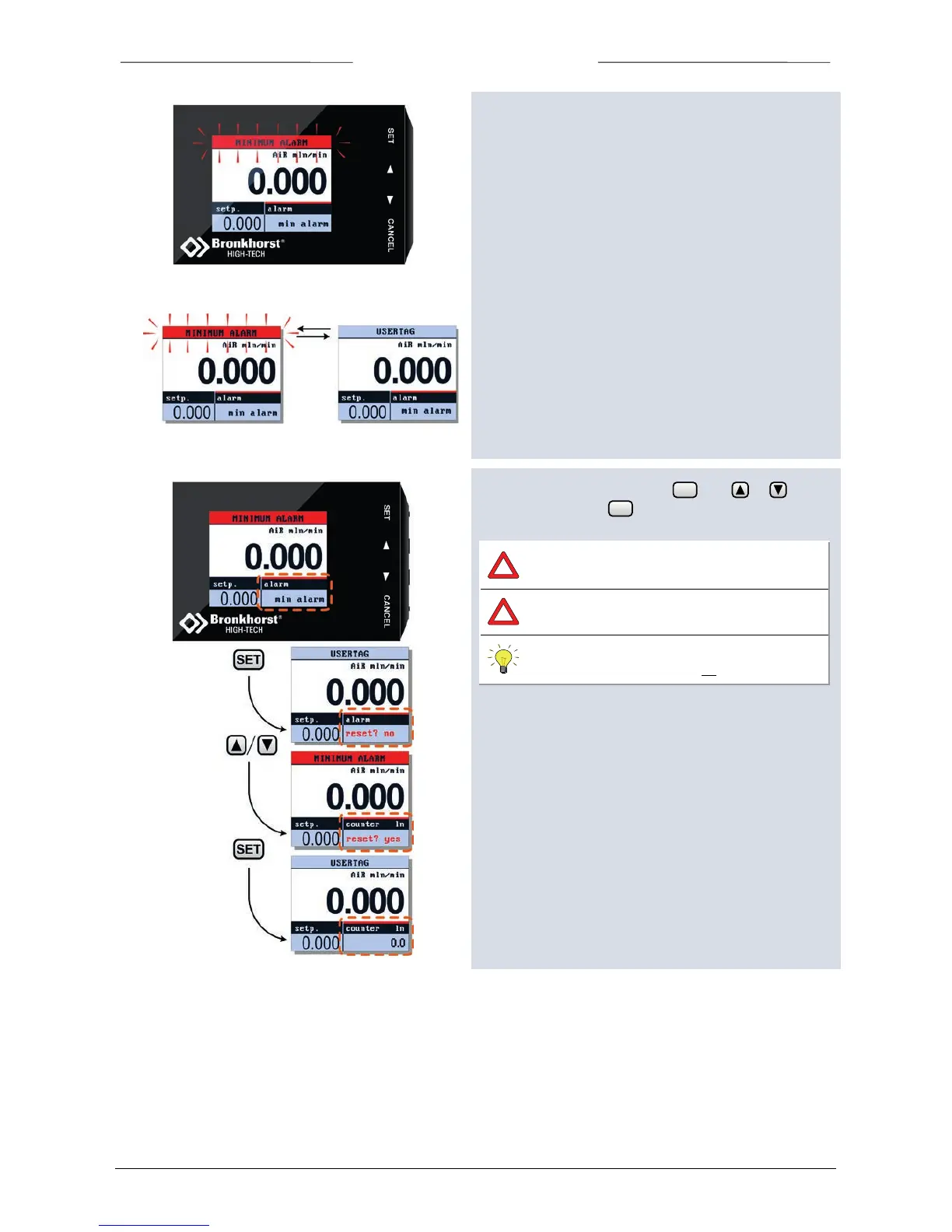
5.10 Reset Alarm
Alarm messages will be shown in the topline of the display
and custom readout 2 will be selected automatically.
Enter the edit mode by pressing . Use or to
select ‘yes’ and press again to confirm.
An alarm message will be occurring as long as
the cause has not been removed/repaired.
Security settings can be set to avoid
unauthorised access to this option.
For changing security settings see chapter
“Security Settings” on page 33.



 To Next Page