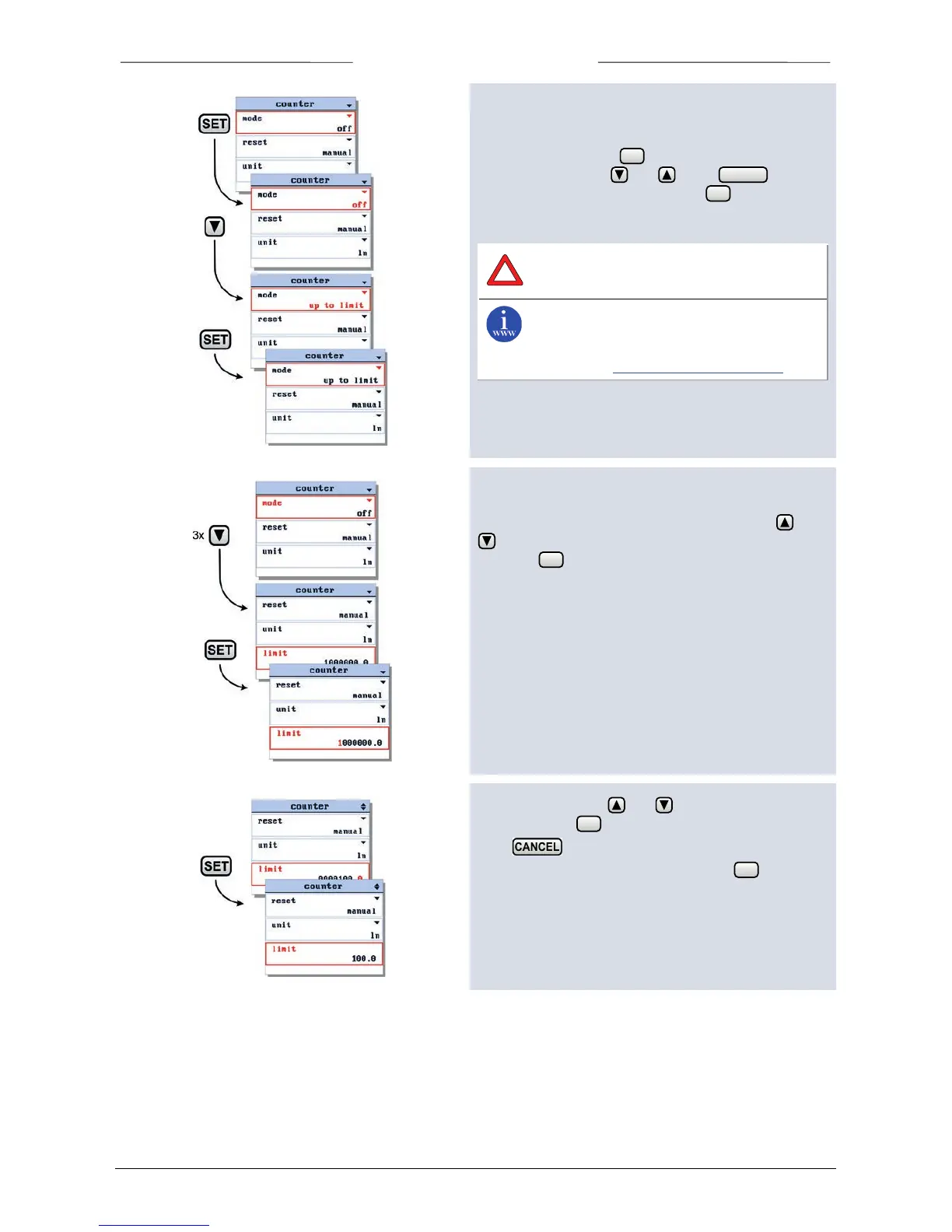
6.12 Set counter mode
When entering the counter settings screen, the counter
mode is selected. Press to enter the edit mode. Select
a counter mode using and . Press to exit
the edit mode without changes. Press to confirm your
selection and exit the edit mode.
The ‘counter’ menu is not available for pressure
meters or controllers.
You can find more information about these
counter settings in the manual: 9.17.023 , This
manual is available at the download section of
our website: http://www.bronkhorst.com
6.13 Set counter parameters
To change one of the counter parameters use the and
button to select the parameter you want to change
and press to enter the edit mode.
In the edit mode, use and to change each
character. Press to select the next character.
Press to exit the edit mode without changes.
When the final character is changed, press to confirm
and to exit the edit mode.



 To Next Page