CHAPTER 2 INSTALLATION AND BASIC OPERATION
2-6
3.1.3 Load paper into the paper tray
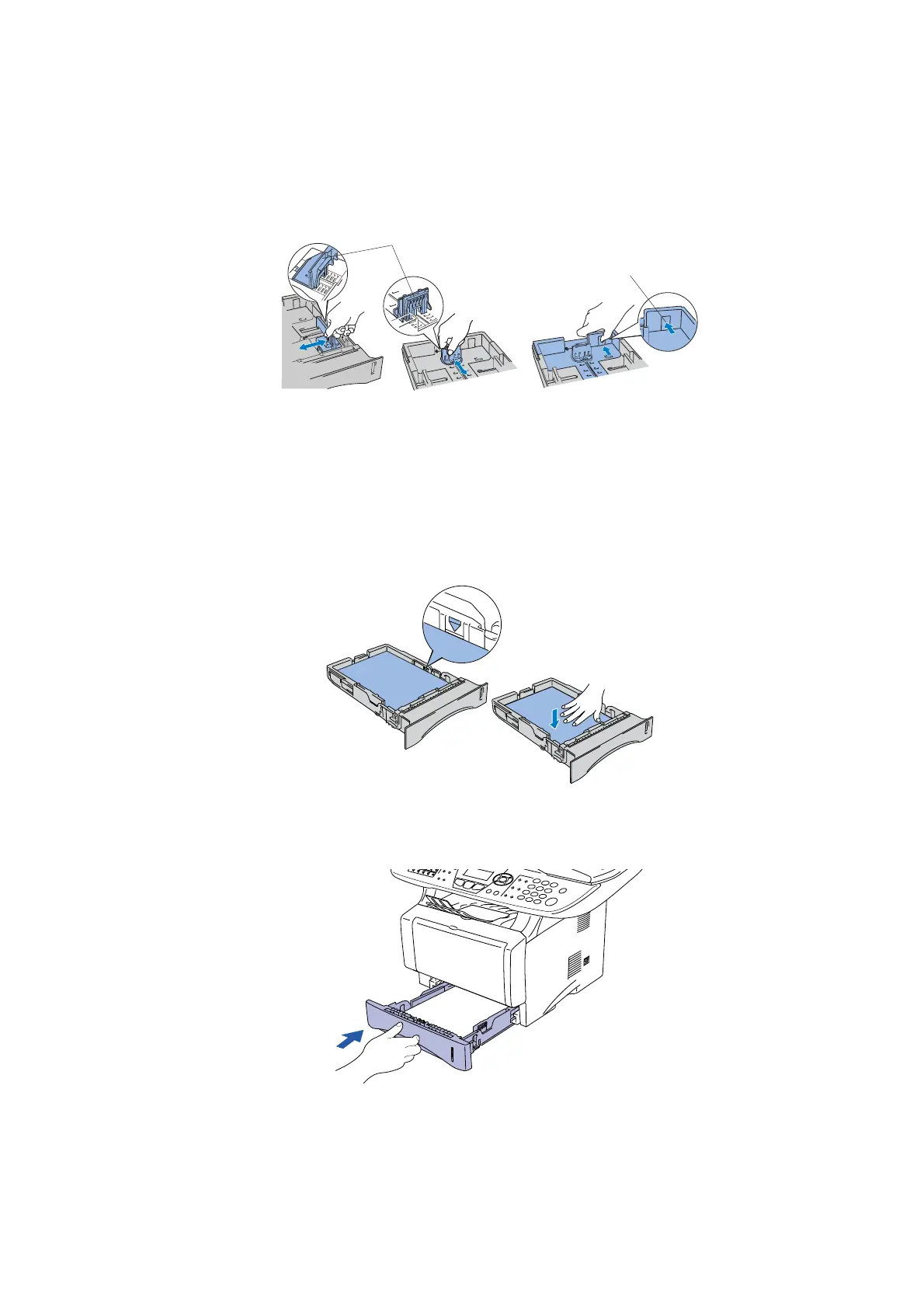
(1) Pull the paper tray completely out of the machine.
(2) While pressing the paper guide release lever, slide the adjusters to fit the paper size.
Check that the guides are firmly in the slots on the tray.
Fig. 2-8
NOTE:
For Legal size paper, press the universal guide release button and pull out the back of the
paper tray.
(3) Fan the stack of paper well to avoid paper jams and misfeeds.
(4) Put paper in the paper tray. Check that the paper is flat in the tray and below the
maximum paper mark.
Fig. 2-9
(5) Put the paper tray firmly back in the machine and unfold the support flap before you use
the machine.
Fig. 2-10
Universal guide
release button
Paper guide release lever



 To Next Page