Personnel:
n
Operator
WARNING!
Risk of electrical shock if the power plug is not
disconnected!
1. Switch off the humidifier and disconnect the power plug.
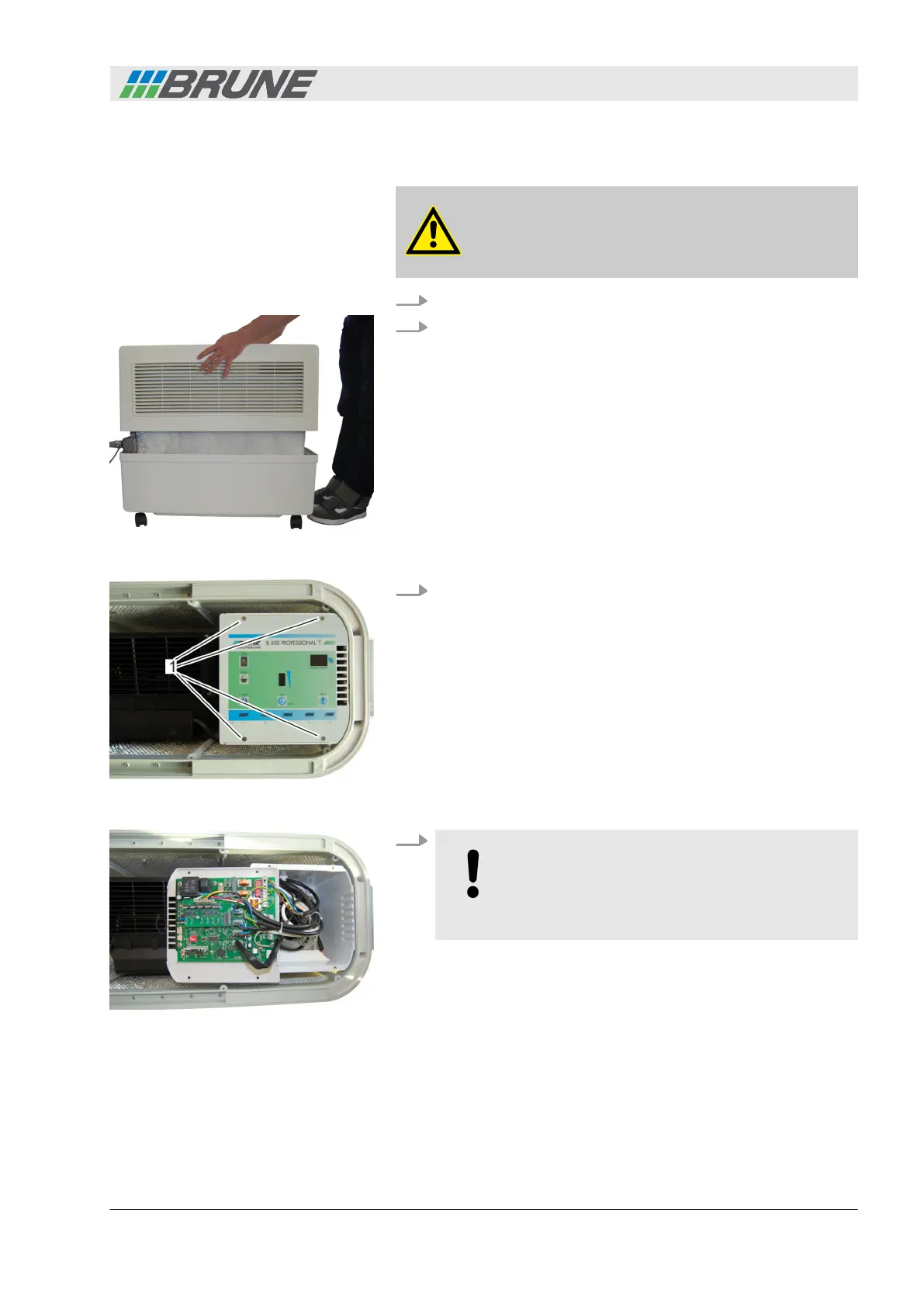
2. Lift the cover of the humidifier upwards and place it to the
side (Fig. 71).
3. Use a screwdriver to loosen and unscrew the four screws at
the surface of the control panel by turning counterclockwise
(Fig. 72/1).
4.
NOTICE!
The electronics of the control panel are very sen-
sitive. Ensure that you do not touch the elec-
tronics and do not damage any components.
Remove the control panel and place it on the operating side
(Fig. 73).
ð
The UV lamp is located in metal housing below the con-
trol panel (Fig. 74/1).
Fig. 71: Removing the cover
Fig. 72: Releasing the control panel
Fig. 73: Removing the control panel
Accessories
Evaporation Humidifier B500 Professional 71



 To Next Page