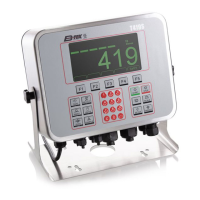
EN-32 T104 Series Indicators
Interval
[ ]
If Interval is selected, the sub-menu Time will display.
= printing occurs at the defined time interval.
Settings of 1 to 5000 seconds are available. Default is 1.
Printing occurs at the defined time interval.
End Print
[ ]
Advance to the next menu or return to the top of the current menu.
Template
[ ]
This sub-menu is used to define the format of the data output to a printer or computer.
= customized printout format.
= customized printout format.
template example
0.000 kg
0.000 kg N
0.100 kg T
4.6.3 USB Configuration
Please refer to USB Configuration in the T104 .
4.6.4 Ethernet Configuration
Please refer to Configuration in the T104 .
4.7 Lock Button Configuration
This menu is used to lock access to certain buttons. When you select ON for one selection, the
associated button press will be ignored.
If you select Lock All Keys, you will lose function of all buttons.
If the Menu button has been locked, long press the Menu button for 15 seconds until you see . Press
the Yes button to confirm.
Item Available Settings
(bold is the default settings)
Lock All Keys
[ ]
OFF, ON
Lock Off Key
[ ]
OFF, ON
Lock Zero Key
[ ]
OFF, ON
Lock Print Key
[ ]
OFF, ON
Lock Unit Key
[ ]
OFF, ON
Lock Mode Key
[ ]
OFF, ON
Lock Menu Key
[ ]
OFF, ON
Lock Tare key
[ ]
OFF, ON
Reset NO, YES



 To Next Page
 Loading...