7 | Operating the interface pro BÜCHI Labortechnik AG
50/88 Operation Manual FatExtractor E-500
Menu symbol Meaning Submenu/Actions
[Solvent] menu Solvent library
Editing and saving sol-
vents
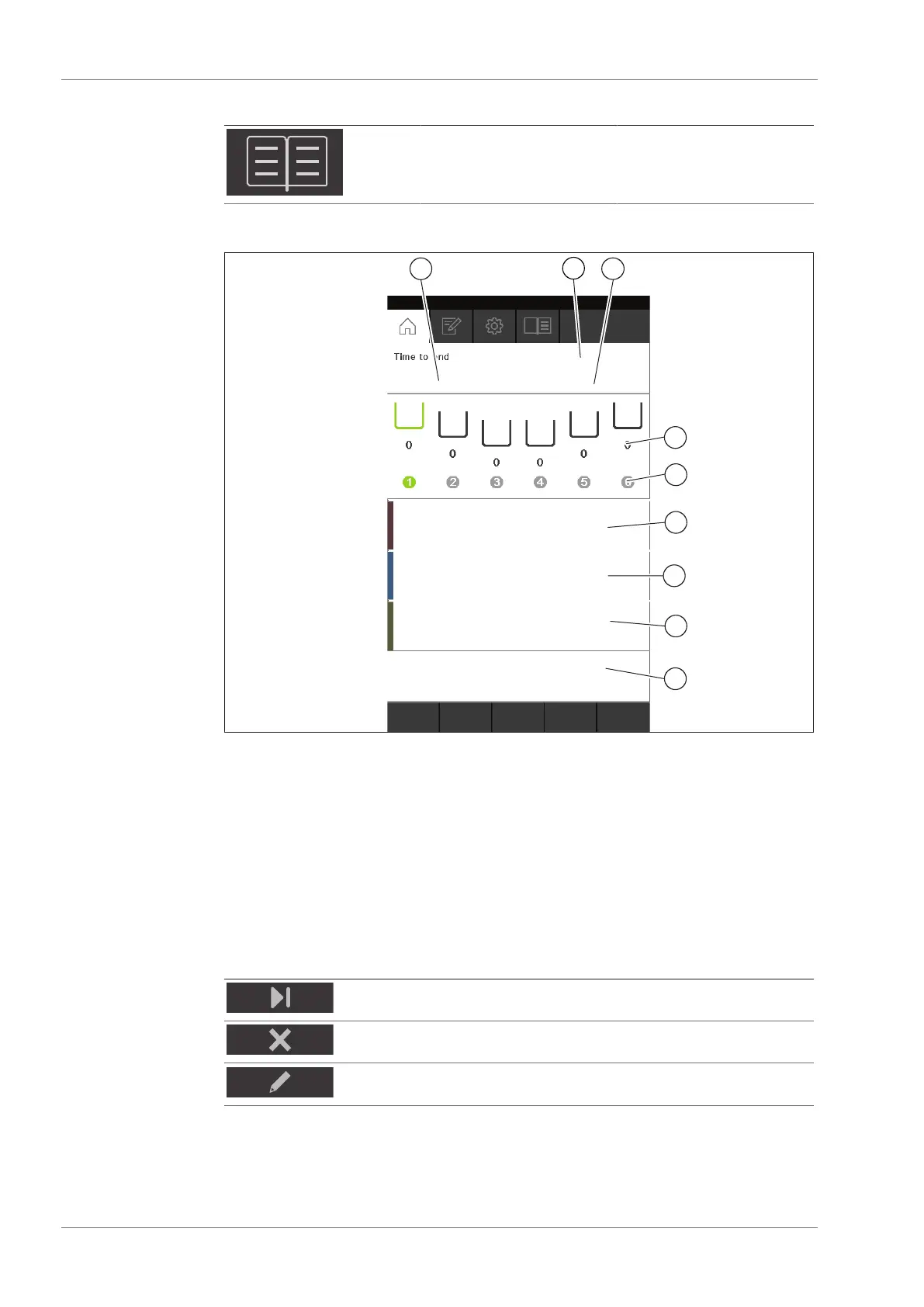
7.3.1 Home menu
Fig.15: Home menu
1 Time remaining 2 Method
3 Status 4 Extraction cycles
(Soxhlet Extraction only)
5 Extraction position 6 Extraction time and heating level
7 Rinse time and heating level 8 Drying time and heating level
9 Control buttons
On the home menu the following control buttons are available:
Button Meaning
Skips the actual step.
Aborts extraction on the selected extraction position.
Editing the running method.
7.3.2 Method menu
The [Method] menu allows saving methods. See Chapter8 "Editing a method",
page54











 To Next Page