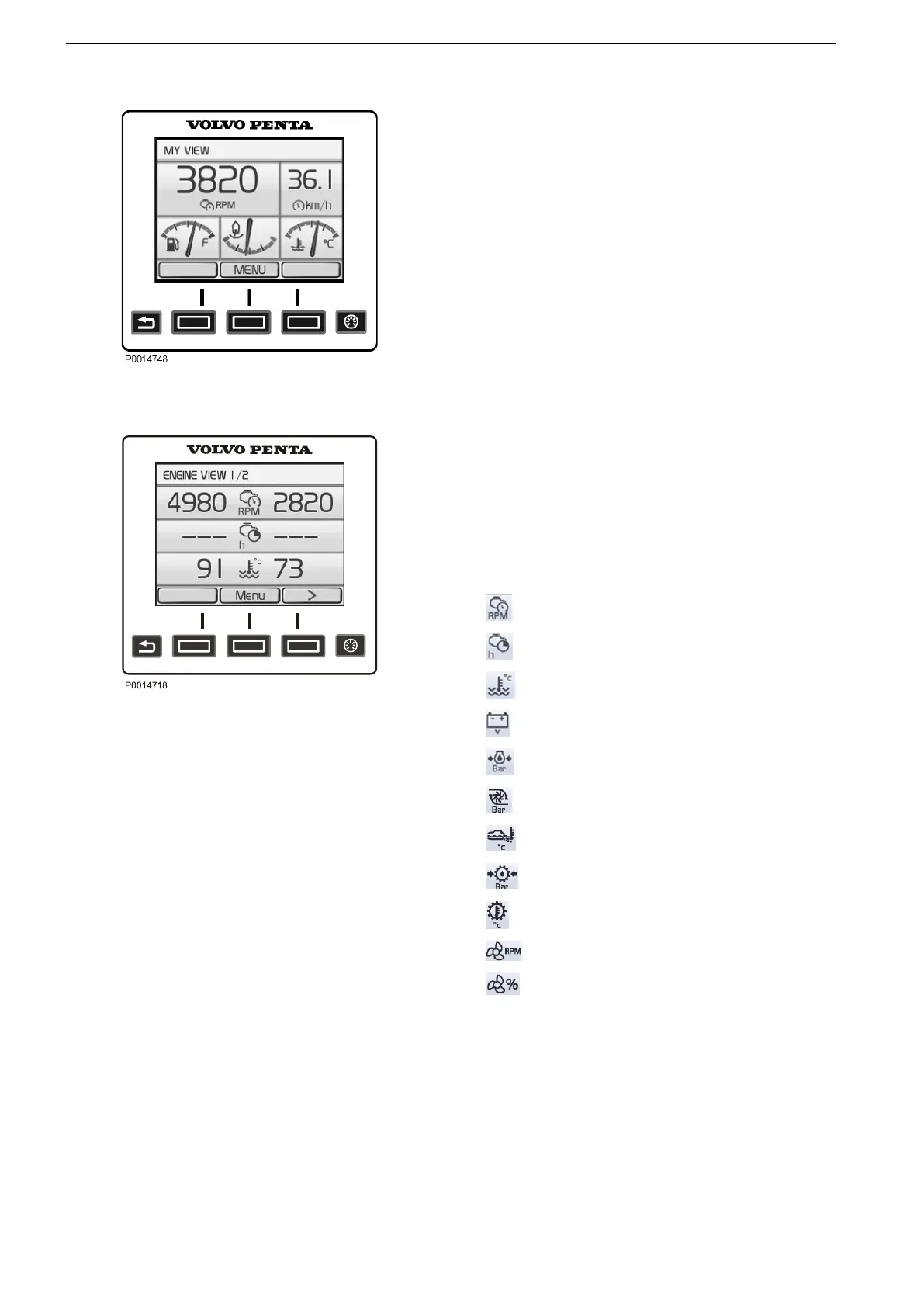
My View
Gauge and operations information is shown in the My
View window.
Some functions are preset as quick selections. These
can be switched on/off by pressing the OK button.
To change the gauge and information shown, refer to
the part in this chapter entitled Replace Gauge.
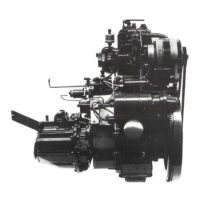
Engine View
The view shows information about the engine and
engine transmission. The information is displayed on
two
screens. Use the arrow buttons to toggle between
the screens. Refer the part in this chapter entitled
Replace Gauge for information on how to change
settings for the displayed information.
Depending on the functions installed in the boat, the
following can be displayed:
Engine Speed
Engine Hours
Engine Coolant Temperature
Battery Voltage
Engine Oil Pressure
Turbo Pressure
Exhaust Temperature
Transmission Oil Pressure
Transmission Oil Temperature
Propeller Rotation
Ahead Speed
My View
Engine View
Instruments and Controls
22 47708085 11-2016 © Bukh


 To Next Page