Fuel
The Fuel
view displays the trip computer in two
screens; Current Fuel and Average Fuel. Use the
arrow buttons to toggle between the screens.
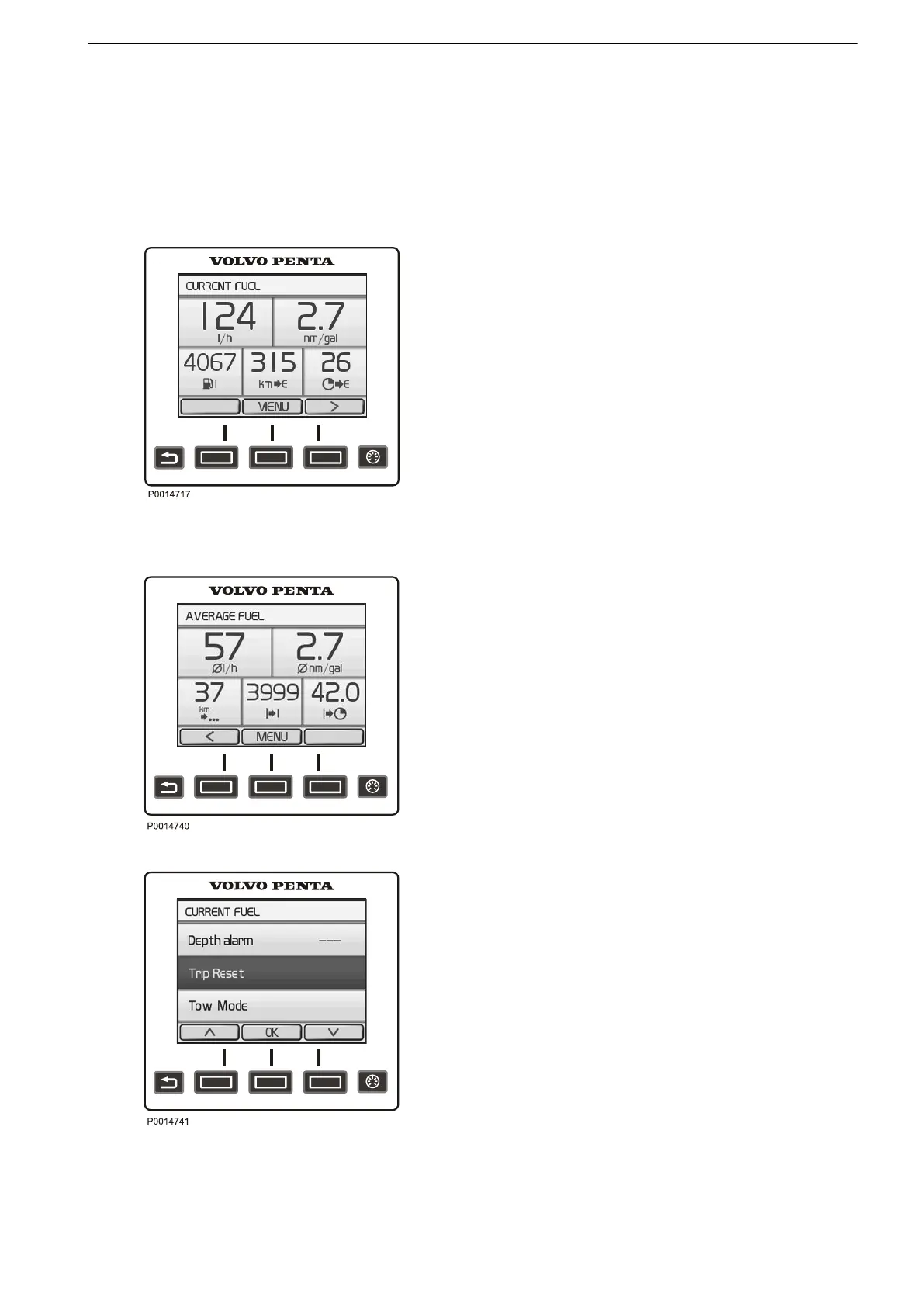
The Current Fuel screen displays the following
parameters:
•
Instant Fuel Rate shows the current fuel
consumption per hour.
•
Instant Fuel Economy is based on the current fuel
consumption.
•
Remaining In Tank shows the amount of fuel left in
the tank.
•
Distance Remaining is based on the current fuel
consumption and shows trip distance with remaining
fuel.
•
Time To Empty is based on current fuel
consumption and shows the remaining operating
time.
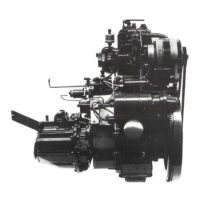
The Average Fuel screen displays the following
parameters:
•
Average Fuel Rate shows the average fuel
consumption per hour since last trip computer reset.
•
Average Fuel Economy is based on the average
fuel consumption since last trip computer reset.
•
Trip Distance shows the distance travelled since
the latest trip computer reset.
•
Trip Fuel shows the fuel consumption since the
latest trip computer reset.
•
Trip Hours shows the time travelled since last trip
computer reset.
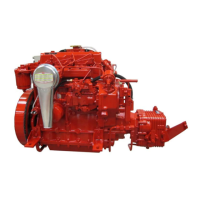
Trip Computer Reset
To reset all trip computer parameters, press the Menu
button and select Trip Reset.
Current Fuel
Average Fuel
Trip Computer Reset
Instruments and Controls
47708085 11-2016 © Bukh 23


 To Next Page