Warning Manager
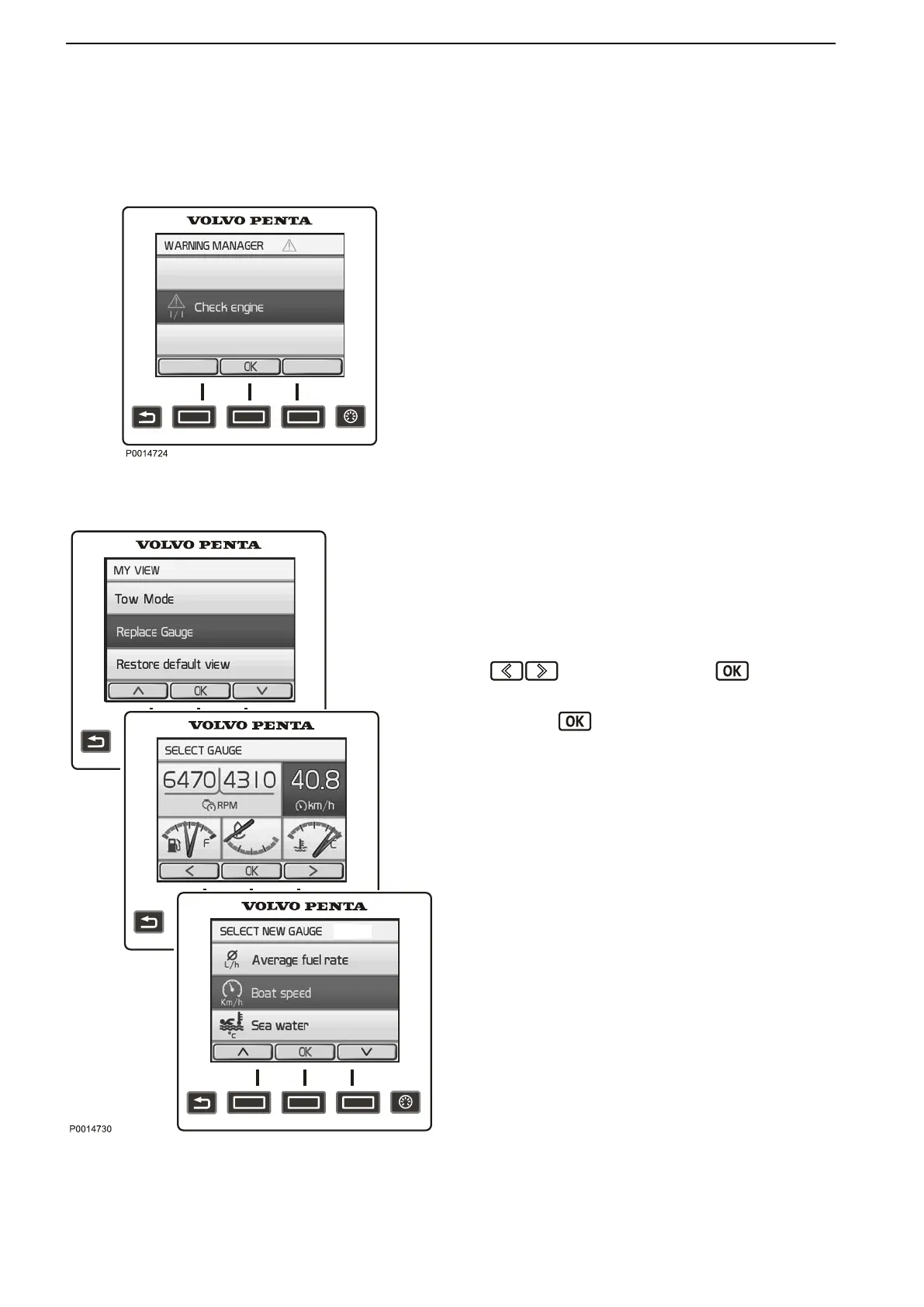
If the system discovers a fault, the helmsman is
informed by a message on the display. The fault
message must be acknowledged by pressing the OK
button.
All fault messages are stored in Warning Manager,
where the affected drivetrain is shown, the fault is
described
and suitable actions are suggested. Refer to
Fault Code Register, page 71 for more information
about different fault messages.
Replace Gauge
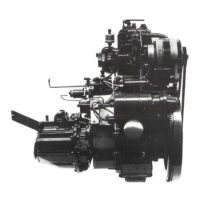
In My View, Engine View and Vessel you can decide
on what information to show and where on the display
the information is shown.
1 Press the Menu button and select Replace
Gauge.
2 Navigate to the gauge to be replaced using the
buttons and press the button.
3 Select the gauge to replace the former one and
press the button.
Warning Manager
Replace Gauge
Instruments and Controls
26 47708085 11-2016 © Bukh


 To Next Page