41
CONNECTING PLUS-X I/O UNITS
First, configure the Plus-X device for your network following
the instructions in the specific Plus-X unit manual. Connect the
device to the same LAN as the ARC Plus Touch.
Make sure AutoLoad Plus is connected to the ARC Plus Touch.
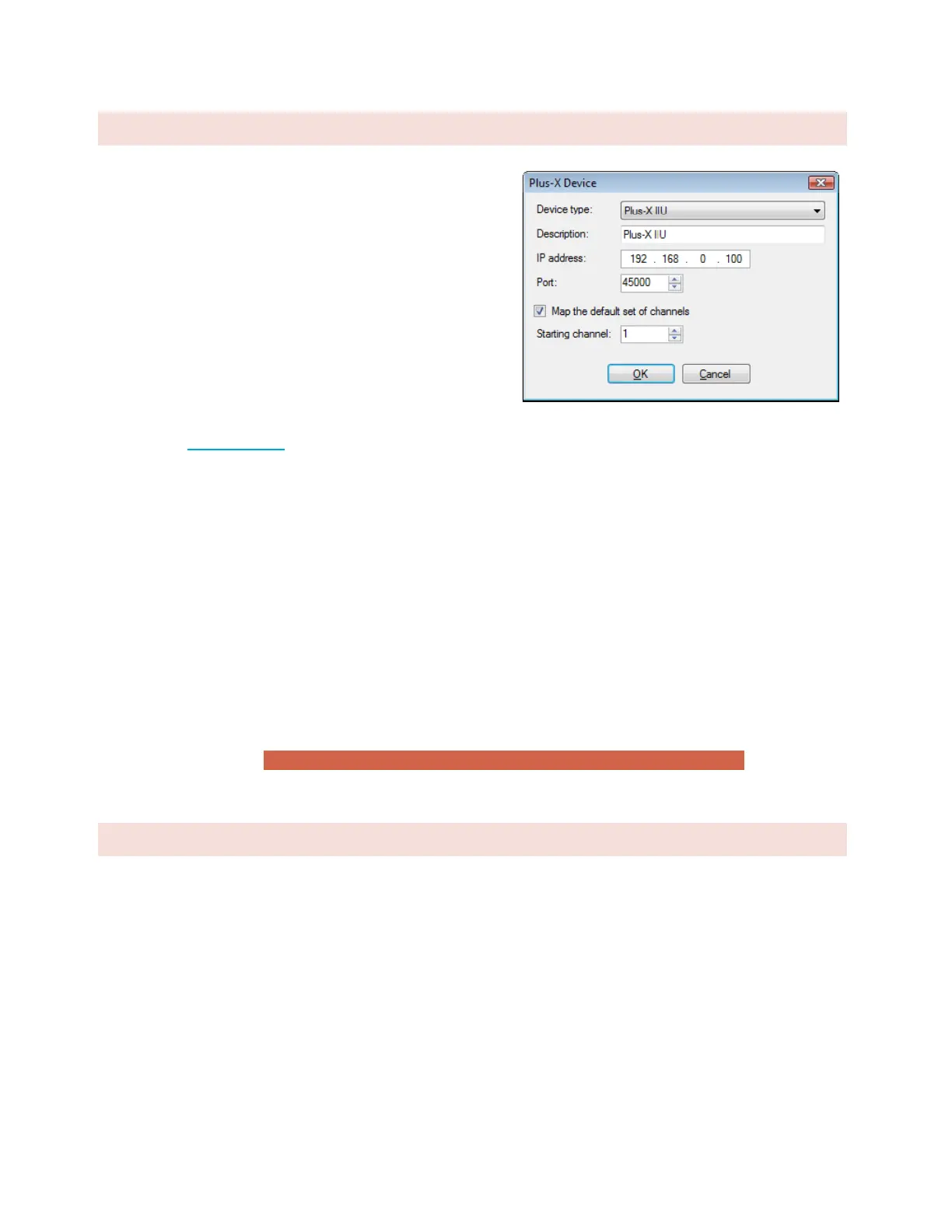
From the Edit menu, select Plus-X Devices. Click the Add…
button in the Plus-X Devices toolbar. Using the Device type
dropdown list, select the Plus-X device model type you are
adding, and enter the IP address you assigned it earlier.
If your Plus-X device model does not appear in the dropdown
list, you may need to download and install its XML definition
file. Plus-X XML definition files and installation instructions are
available at www.burk.com.
Once you have added the Plus-X device to the ARC Plus, Plus-X device channels must be assigned to channels on
the ARC Plus. Plus-X channels may be assigned manually or automatically. Automatic assignment is recommended
in most cases. Select the channel number where you want to start assigning channels. For your first Plus-X device,
starting at channel 1 is typical. Leave the “Map the default set of channels” checkbox checked and press OK.
If installing additional Plus-X devices, assign them to start after the last used channel. For example, if you are
installing two 16-channel Plus-X devices, have the first device start at channel 1 and the second device start at
channel 17.
For information on manually assigning channels, Click or turn to METER CHANNEL SOURCE.
After installing your Plus-X devices, click OK to close the Plus-X Devices dialog. You will see your new channels in
the AutoLoad Plus channel tabs for your ARC Plus.
Note: Be sure to save your AutoLoad Plus settings after assigning Plus-X channels.
CHANGING THE SITE NAME
To change the name of the ARC Plus Touch site, highlight the ARC Plus icon in the site list, right click and select
Rename. Rename the site as desired (up to 12 characters).



 To Next Page