Construction and function
Translation of original operating manual
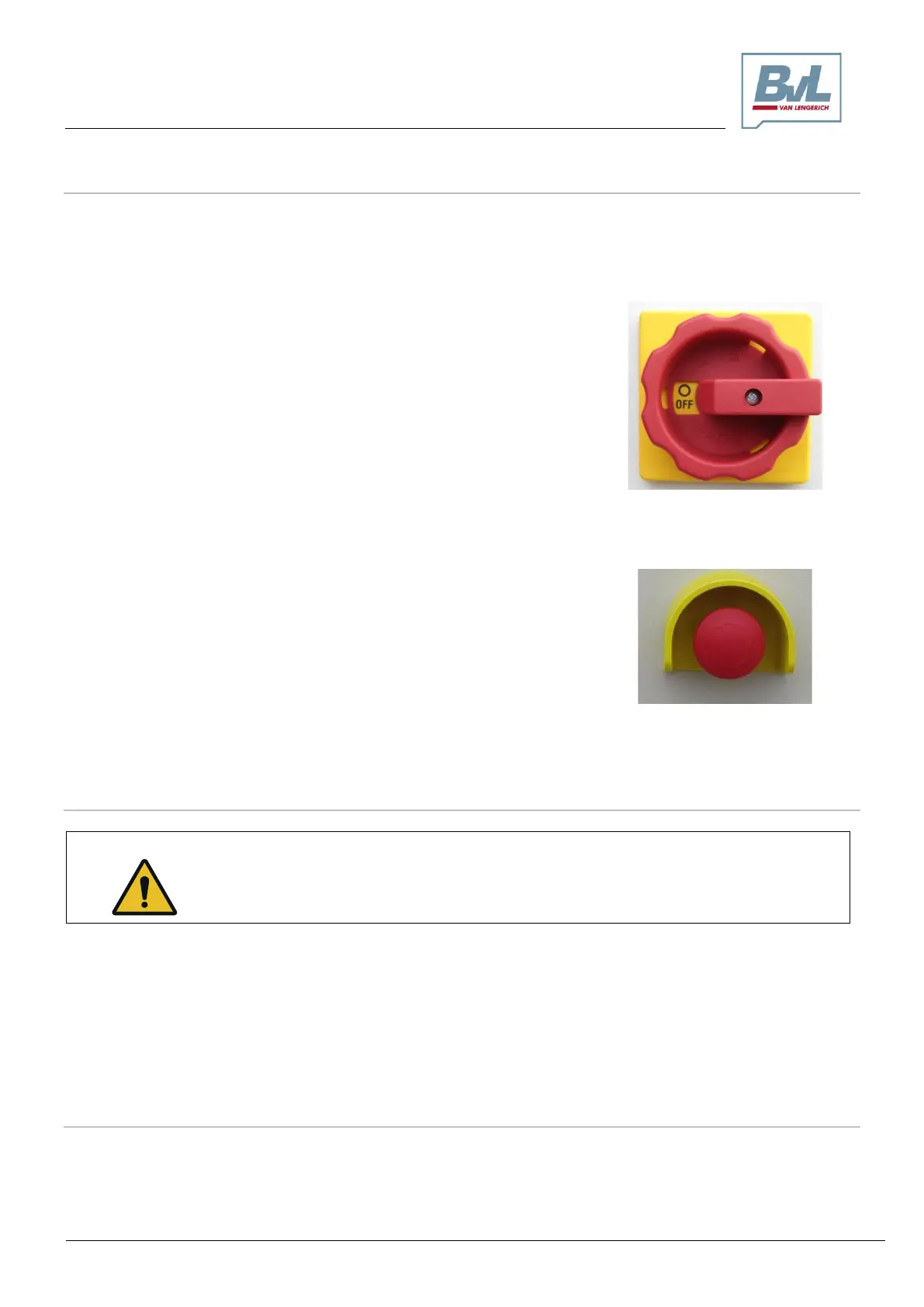
4.15.2.2 Main switch/emergency stop/off button “plus” control
Main switch
The power supply to the machine can be turned on and off at the main switch.
The main switch must remain on to enable the control cabinet heating to function.
Main switch OFF position
To switch off the power supply, turn the main switch to the OFF position.
Main switch ON position
To switch on the power supply, turn the main switch to the ON position.
Emergency stop/off button
Emergency stop
Activation of the emergency stop/off button on the control cabinet will halt
all machine movements.
4.15.2.3 Switching on the “plus” control system
Hazards to personnel due to pinching, cutting, snagging and pulling can occur in the
following cases through unintended contact with the mixing auger during operation!
Switch on the machine only when no one is present in the hazard area or within the
machine!
o Turn the main switch (1) to the ON position
o The control boots up in approximately 20-30 seconds. If the “confirm” button (5) lights up continuously,
the control is ready for use. A blinking “confirm” button (5) indicates that error messages concerning re-
solved malfunctions remain unconfirmed. It is necessary to tap the “confirm” button (5) until the button
lights continuously – do not press and hold. If the “confirm” button (5) fails to light up, the machine is not
ready for use.
4.15.2.4 Confirming error messages
Error messages remain in the control even after existing malfunctions have been resolved. In this case,
the “confirm” button (5) will blink. To remove these error messages, it is necessary to tap the “confirm”
button until the button lights continuously – do not press and hold. The machine is then ready for further
operation.


 To Next Page