Construction and function
Translation of original operating manual
4.15.3.3 Remote control use
o Control is activated as described under item 4.15.1.3 or item 4.15.2.3.
o The transmitter is powered on and activated (see item 4.15.3.2)
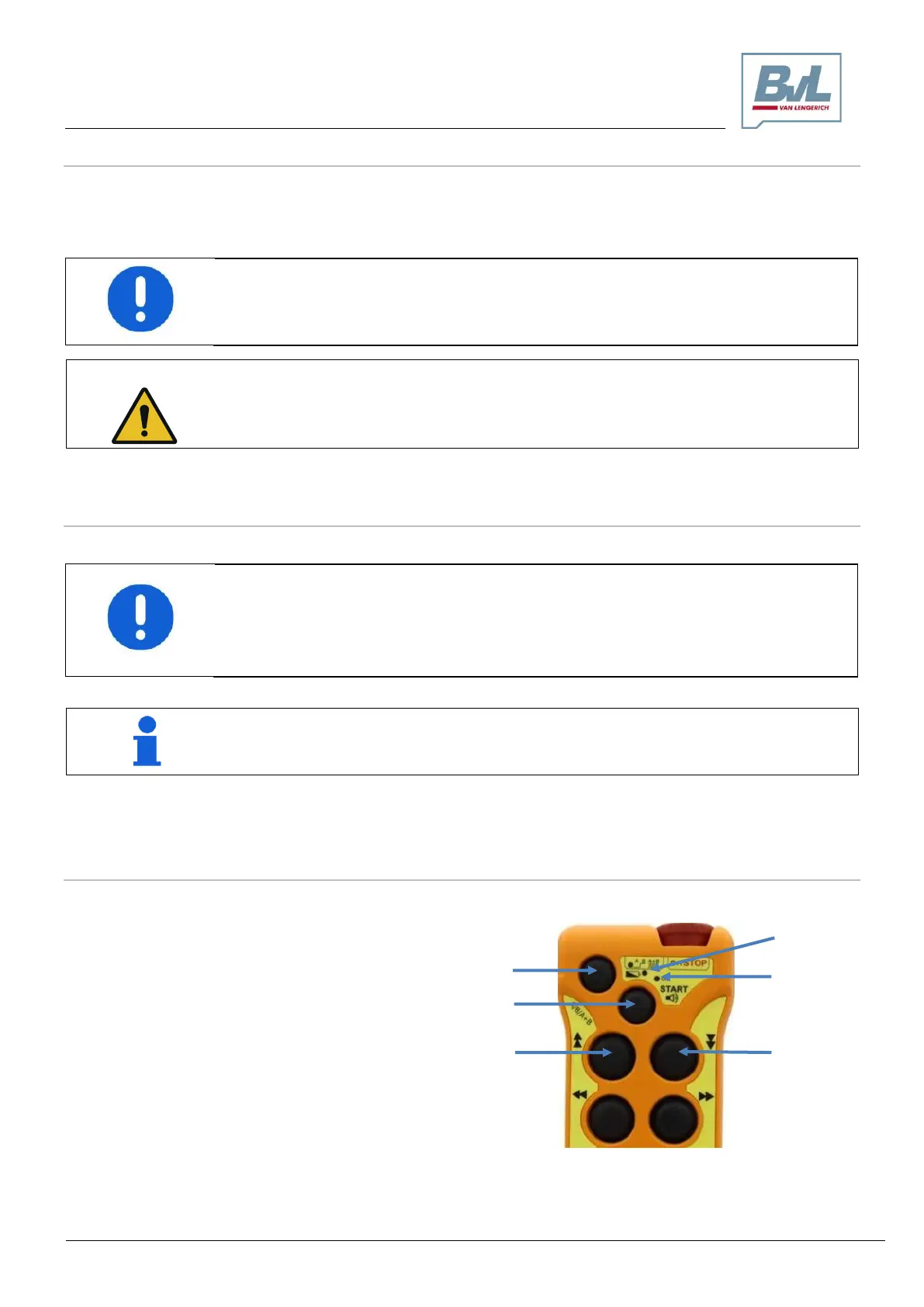
o Use the transmitter buttons for the desired function (buttons 3 – 8).
Important!
At regular intervals, ensure that the red emergency stop/off switch (1) is in proper working
order.
4.15.3.4 Remote control Off
o To switch off the transmitter, press the red emergency stop/off button (1).
Important!
Once wireless remote control is no longer needed and prior to discarding the transmitter,
always switch it off. Do not leave the transmitter unattended as long as it is active and un-
locked. Maintain the transmitter in a secure location that is not accessible by unauthorized
persons. Never entrust the transmitter to inexperienced employees.
Note
Once remote control is no longer needed, disconnect the transmitter using the emergency
stop/off button (1). This interrupts the transmitter’s power supply and preserves the battery.
4.15.3.5 Transmitter button lock
The transmitter’s push buttons can be locked:
The transmitter must be powered on
Simultaneously press and hold keys 2, 3, 4
and 9, then release
If an attempt is made to press a key, LED „a“
and LED „b“ will blink in alternation and an
audible alert will be given.
To unlock the transmitter, press the key com-
bination again.
In the occurrence of problems with the monitoring of the machine’s operation (due to me-
chanical or electrical causes or at any rate unconnected to the operator’s actions), immedi-
ately press the red emergency stop/off switch (1).



 To Next Page