201
When you set the copyright information, it will be recorded to the image
as Exif information.
1
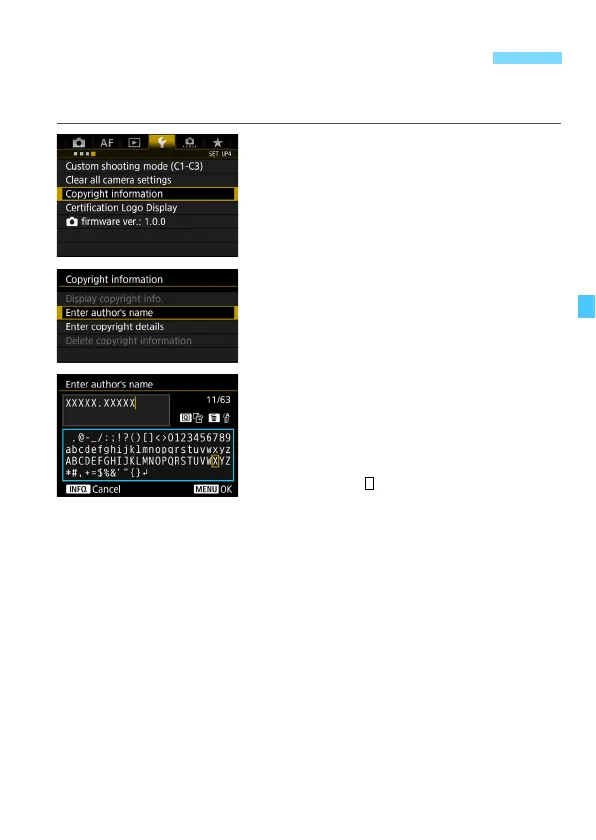
Select [Copyright information].
Under the [54] tab, select [Copyright
information], then press <0>.
2
Select the option to be set.
Select [Enter author’s name] or
[Enter copyright details], then press
<0>.
3
Enter text.
Press the <Q> button. The text
palette will be highlighted with a color
frame, and text can be entered.
Operate the <5> dial or <9> to
move the and select the desired
character. Then press <0> to enter
it.
You can enter up to 63 characters.
To delete a character, press the <L>
button.
To cancel the text entry, press the
<B> button, then select [OK].
4
Exit the setting.
After entering the text, press the
<M> button, then select [OK].
X The information is saved.
3 Setting Copyright InformationN













 To Next Page