348
You can play back the images on the card as an automatic slide show.
1
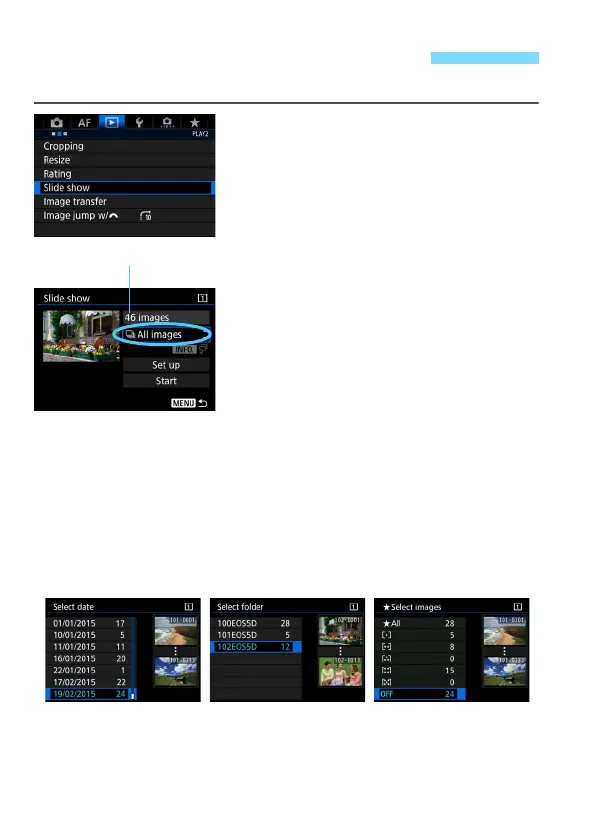
Select [Slide show].
Under the [32] tab, select [Slide
show], then press <0>.
2
Select the images to be played
back.
Select the desired option on the
screen, then press <0>.
All images/Movies/Stills/Protect
Select one of the following: [jAll
images] [kMovies] [zStills]
[JProtect]. Then press <0>.
Date/Folder/Rating
Select one of the following: [iDate]
[
nFolder] [9Rating].
When <zH> is highlighted,
press the <B> button.
Select the desired setting, then press
<0>.
3 Slide Show (Auto Playback)
Number of images to be played
back













 To Next Page