320
1
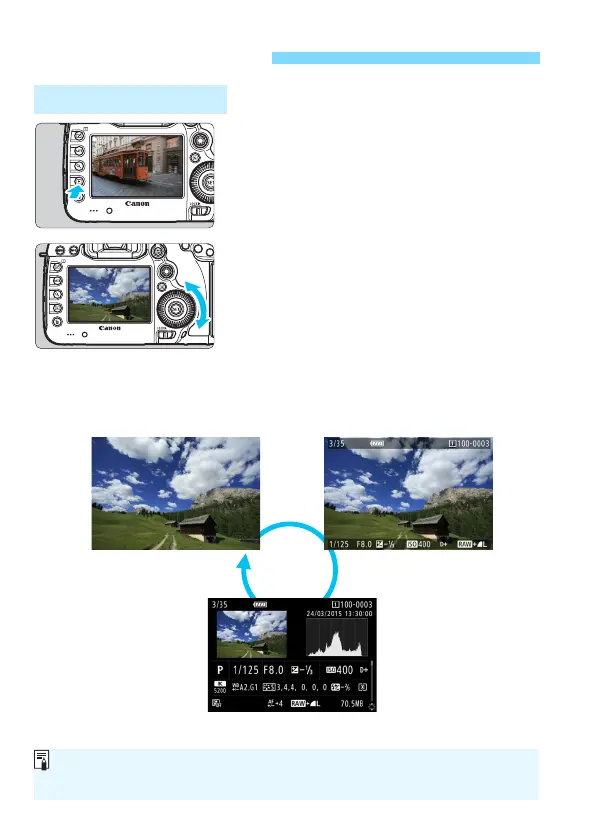
Play back the image.
Press the <x> button.
X The last image captured or played
back will appear.
2
Select an image.
To play back images starting with the
last image captured, turn the <5>
dial counterclockwise. To play back
images starting with the first captured
image, turn the dial clockwise.
Each time you press the <B>
button, the information display will
change.
x Image Playback
Single-Image Display
No information Basic information display
Shooting information display
When you play back RAW images shot with the [z4: Crop/aspect ratio]
(p.154) set, lines indicating the shooting area will be displayed.













 To Next Page