Nomenclature
36
When connecting the camera to a computer, printer, Wireless File
Transmitter or GPS Receiver, use the provided interface cable or one
from Canon (shown in the System Map on page 454).
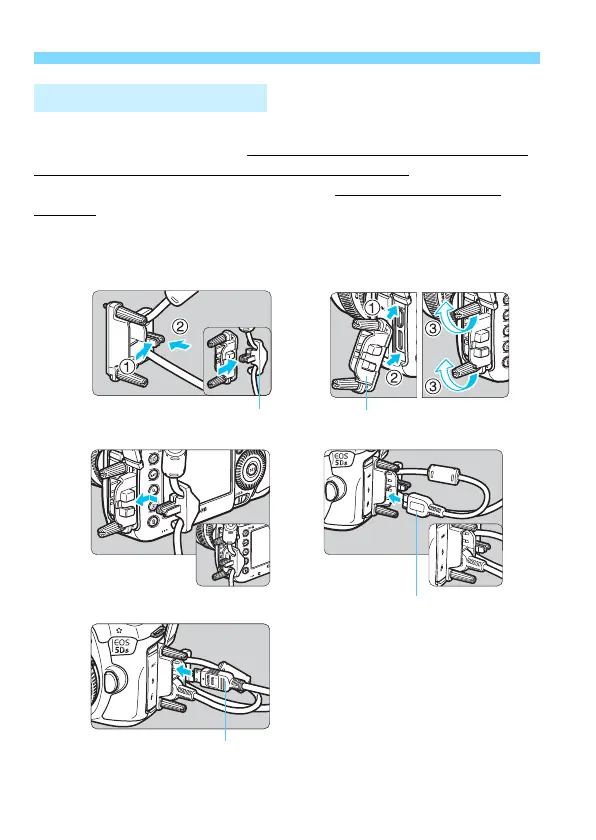
When connecting the interface cable, also use the provided cable
protector. Using the cable protector prevents the cable from accidental
disconnection and the terminal from getting damaged.
Using the Provided Interface Cable and a Genuine HDMI Cable
(sold separately)
Using the Cable Protector
HDMI cable (sold separately)













 To Next Page