239
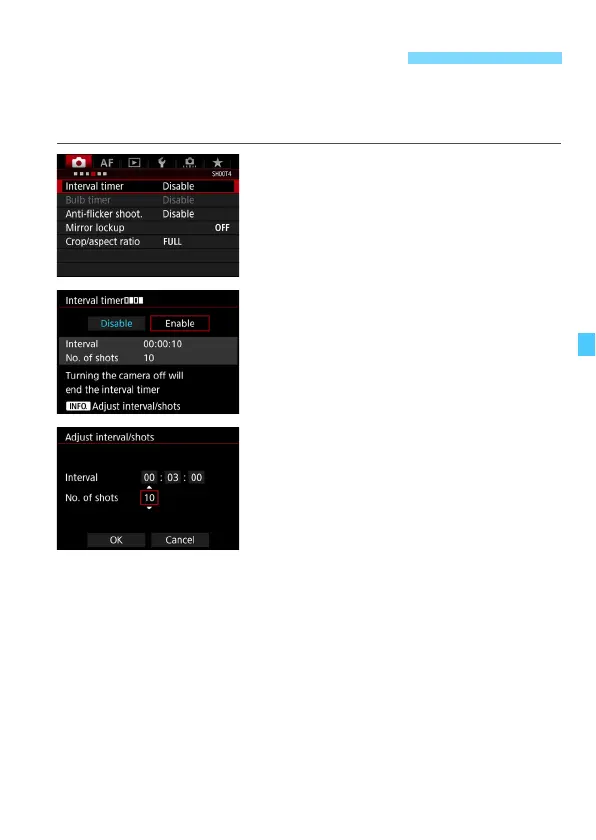
With the interval timer, you can set the shooting interval and the number
of shots. The camera will repeat taking one shot with the set interval
until the set number of shots are taken.
1
Select [Interval timer].
Under the [z4] tab (the [z2] tab in
<A>), select [Interval timer], then
press <0>.
2
Select [Enable].
Select [Enable], then press <B>
button.
3
Set the interval and number of
shots.
Select the hour, minute, second, or
number of shots.
Press <0> so <r> is displayed.
Set the desired number, then press
<0> (Returns to <s>).
Interval
Settable from [00:00:01] to [99:59:59].
No. of shots
Settable from [01] to [99]. If you set [00], the camera will keep
shooting until you stop the interval timer.
H Interval Timer Shooting













 To Next Page