Q Displaying the Electronic Level
76
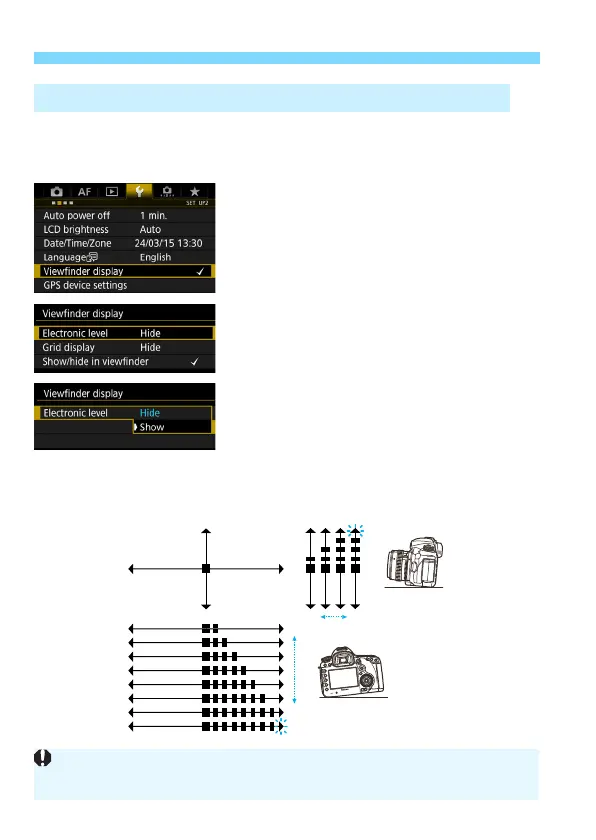
An electronic level can be displayed on the upper part of the viewfinder.
Since this can be displayed while you shoot, you can correct the
camera tilt while shooting.
1
Select [Viewfinder display].
Under the [52] tab, select
[Viewfinder display], then press
<0>.
2
Select [Electronic level].
3
Select [Show].
4
Press the shutter button halfway.
X The electronic level will be displayed
in the viewfinder.
This also works with vertical shooting.
3 Displaying the Electronic Level in the Viewfinder
1°
1°
7°
or greater
or greater
7.5°
4°
Even when the tilt is corrected, there may be a margin of error of approx.
±1°.













 To Next Page